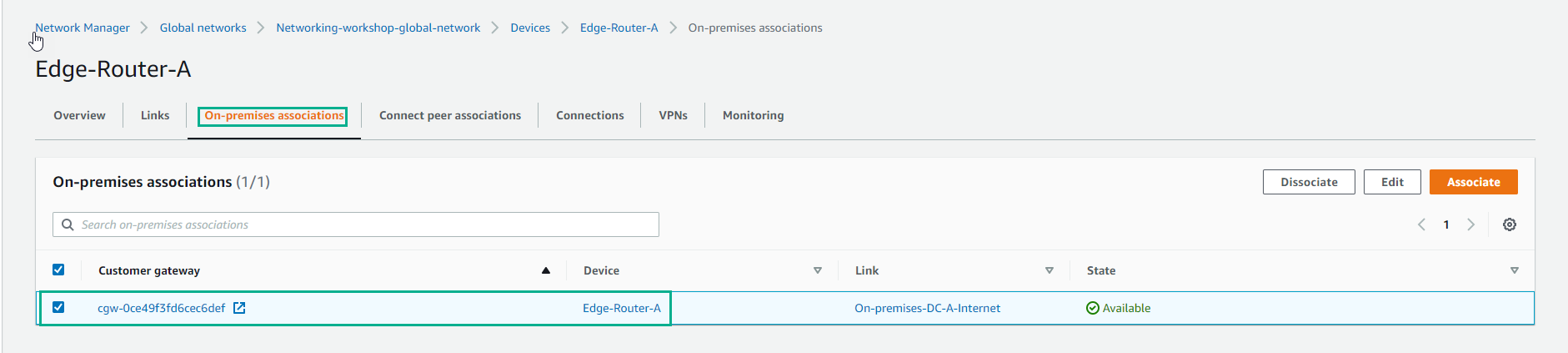
Cấu hình Site
Cấu hình Site
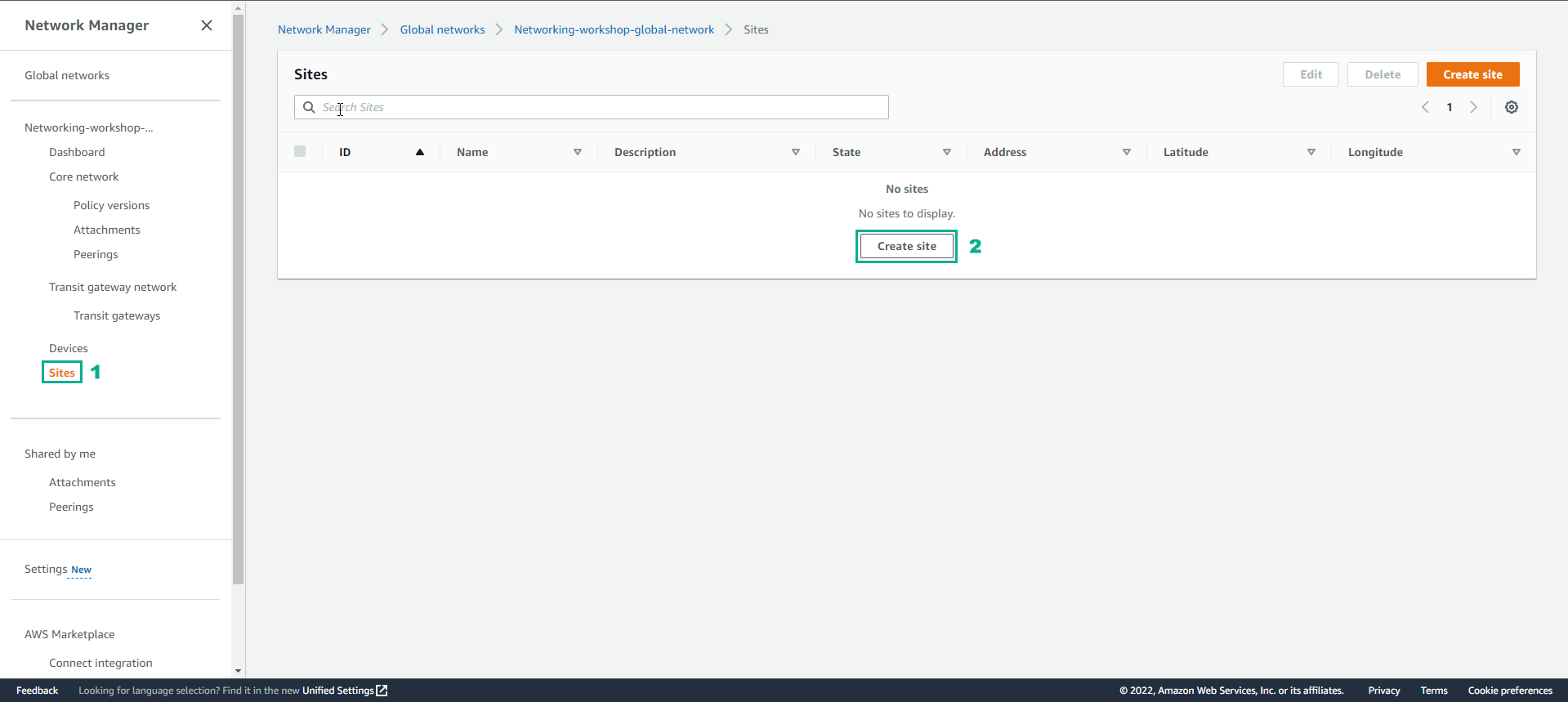
- Trong giao diẽn Network Manager
- Chọn Site
- Chọn Create site
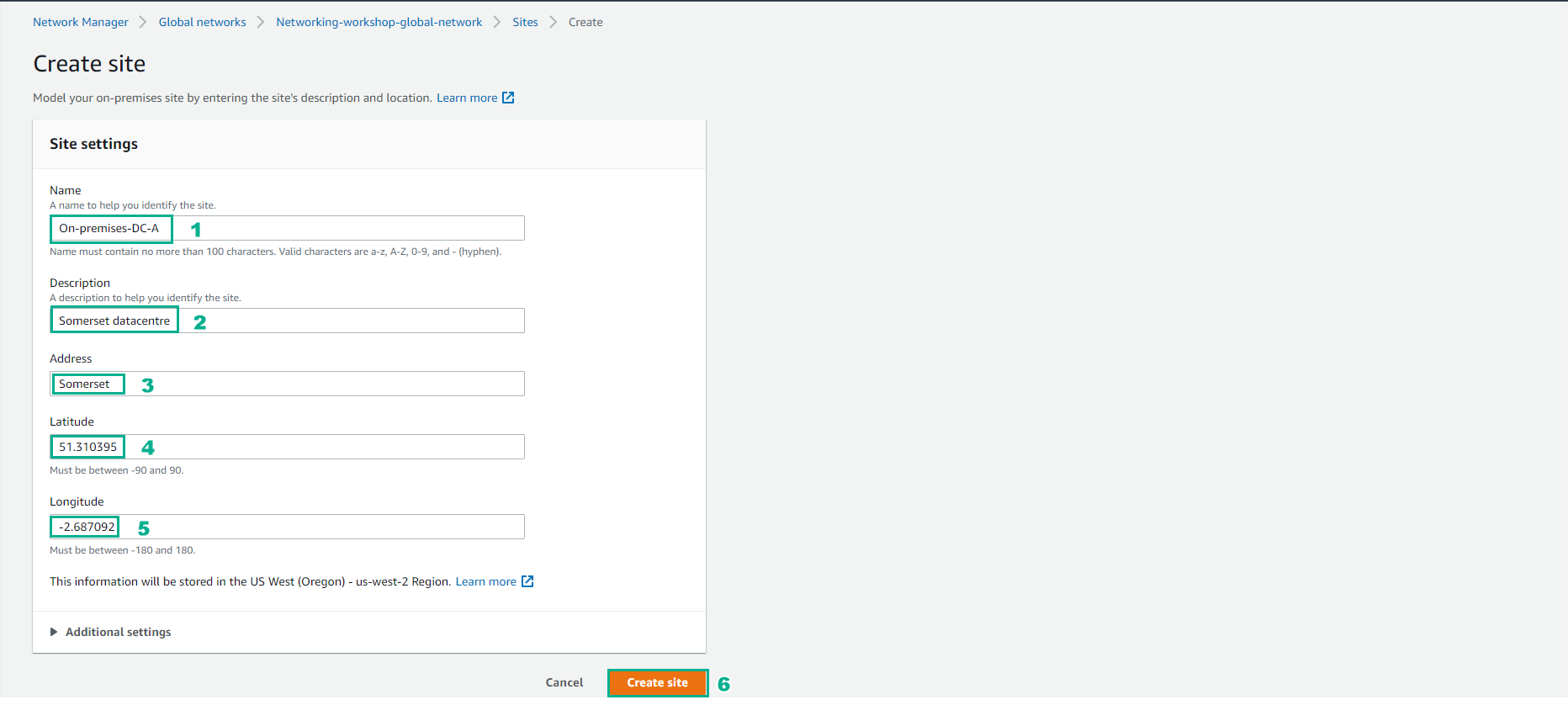
- Trong giao diện Create site
- Thực hiện cấu hình site, Name nhập là On-premise-DC-A
- Nhập Description
- Address, giữ Somerset
- Về Latitude và Longitude bạn nhập tọa độ của bạn.
- Chọn Create Site
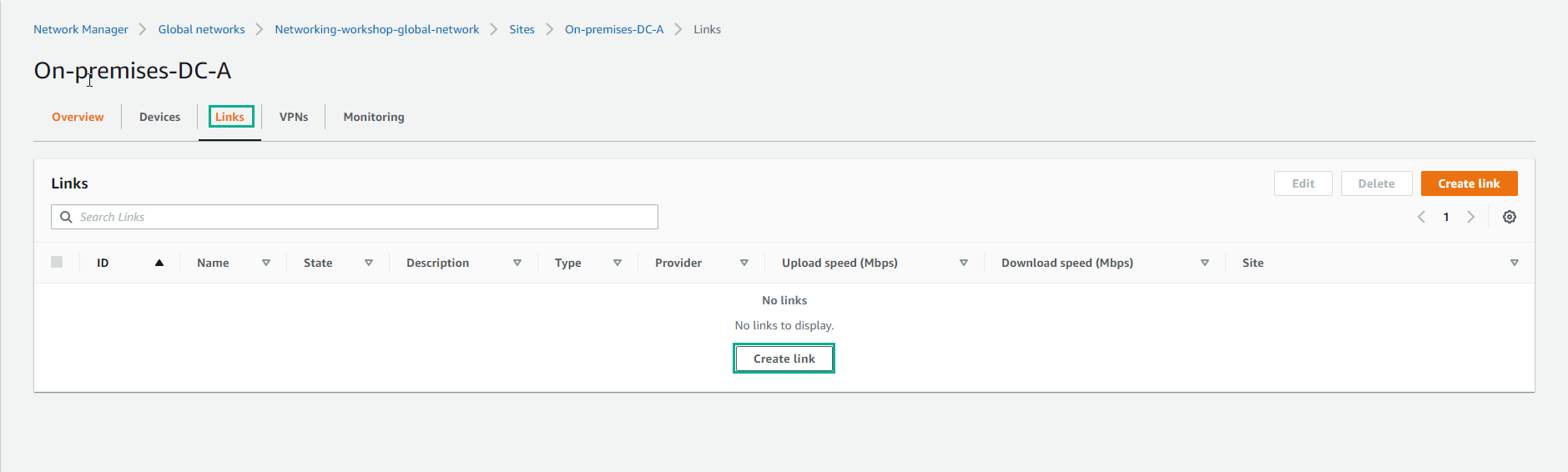
- Tạo site thành công.

- Vào xem chi tiết Site, chọn Links và chọn Create link
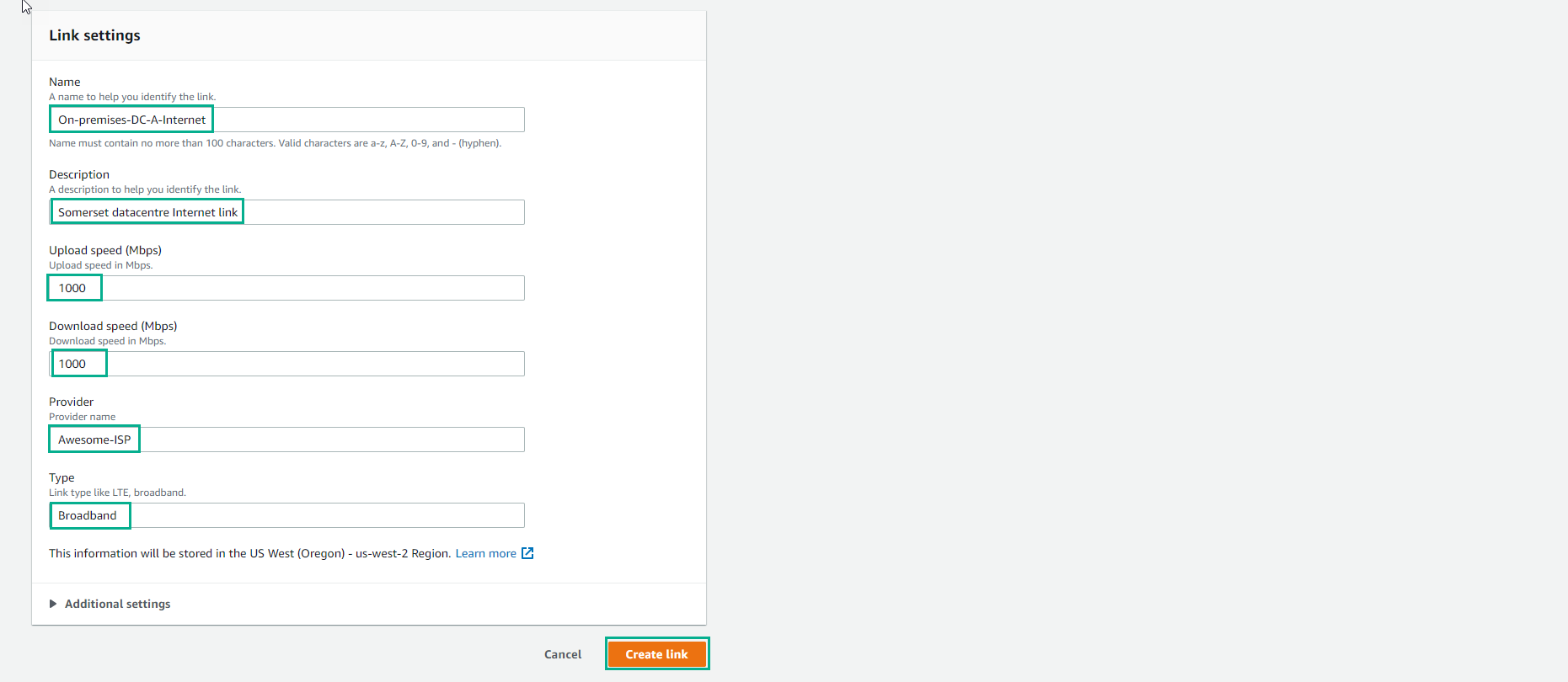
- Thực hiện cấu hình links
- Nhập Name
- Nhập Description
- Upload speed (Mbps) nhập 1000
- Download speed (Mbps) nhập 1000
- Nhập Provider là Awesome-ISP
- Type là Broadband
- Chọn Create link
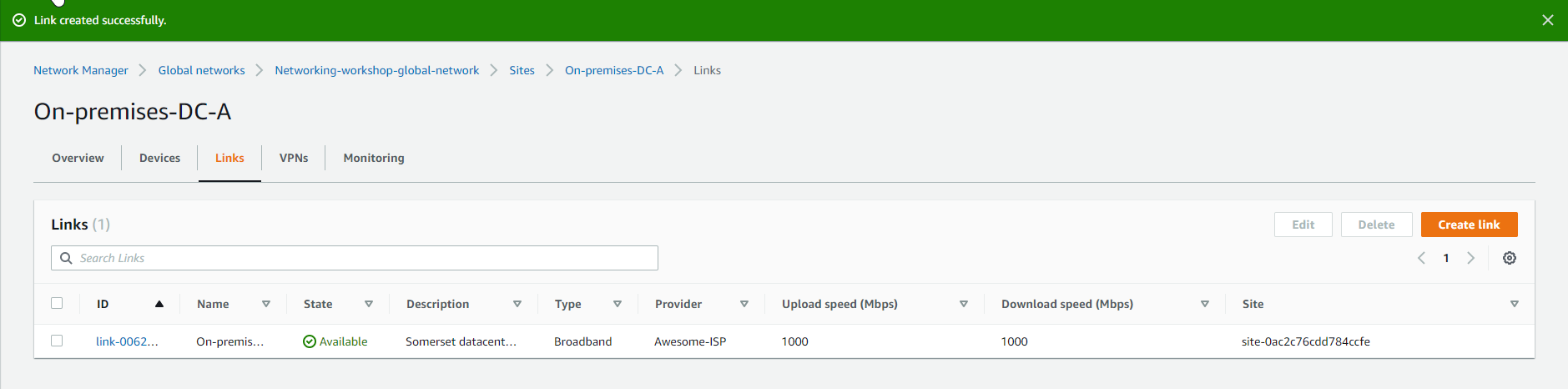
- Tạo links thành công.
- Sau khi đã cấu hình Site và Links, tiếp theo ta cấu hình Devices
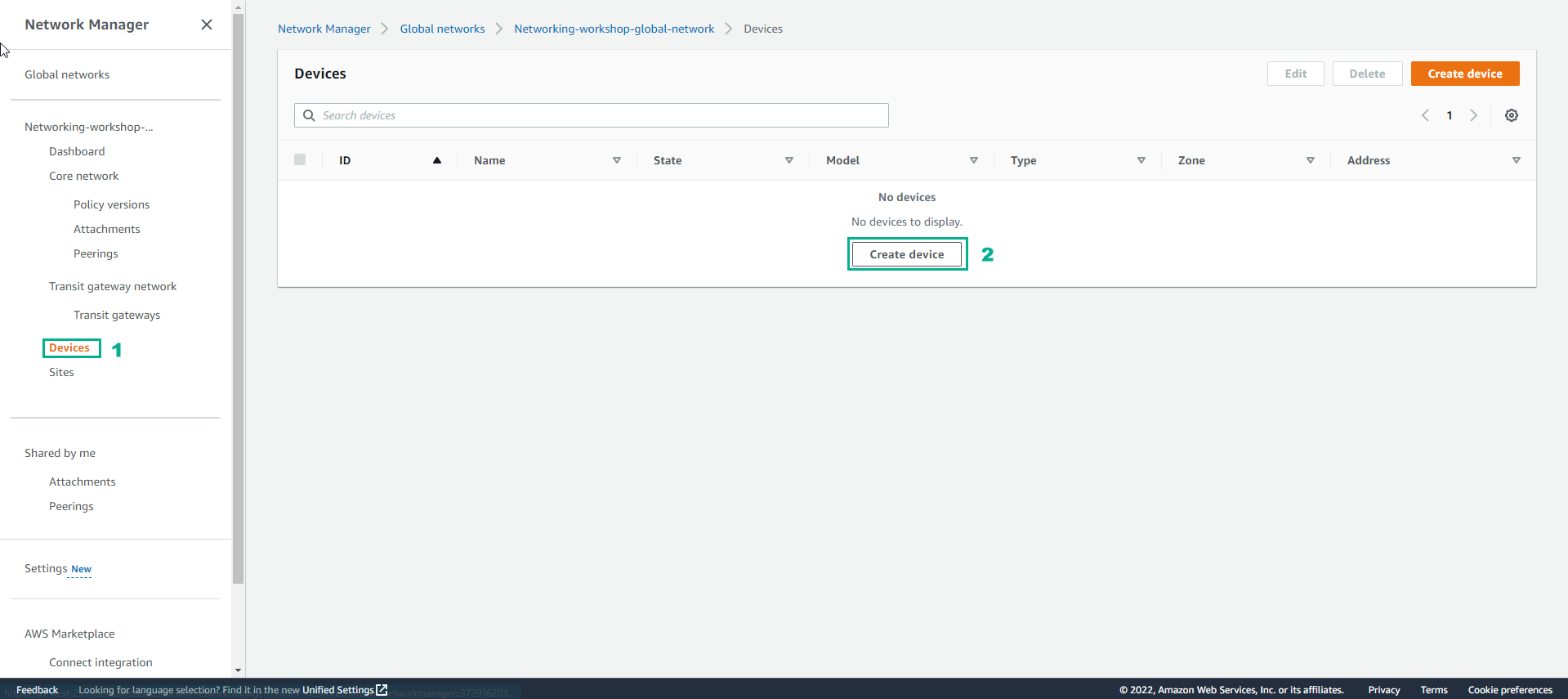
- Trong giao diện Network Manager, chọn Devices
- Chọn Create devices
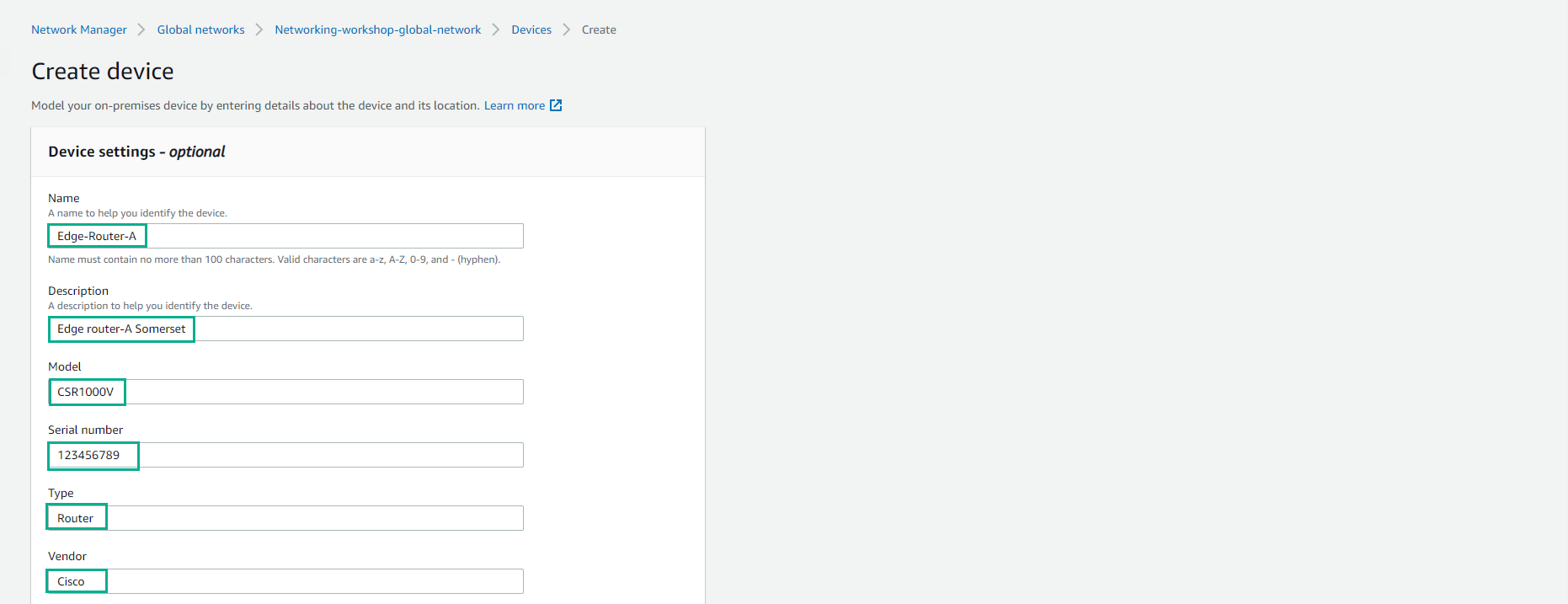
- Thực hiện cấu hình Devices
- Name, nhập Edge-Route-A
- Nhập Description
- Chọn Model là CSR1000V
- Serial number là 123456789
- Type, chọn Router
- Vendor, chọn Cisco
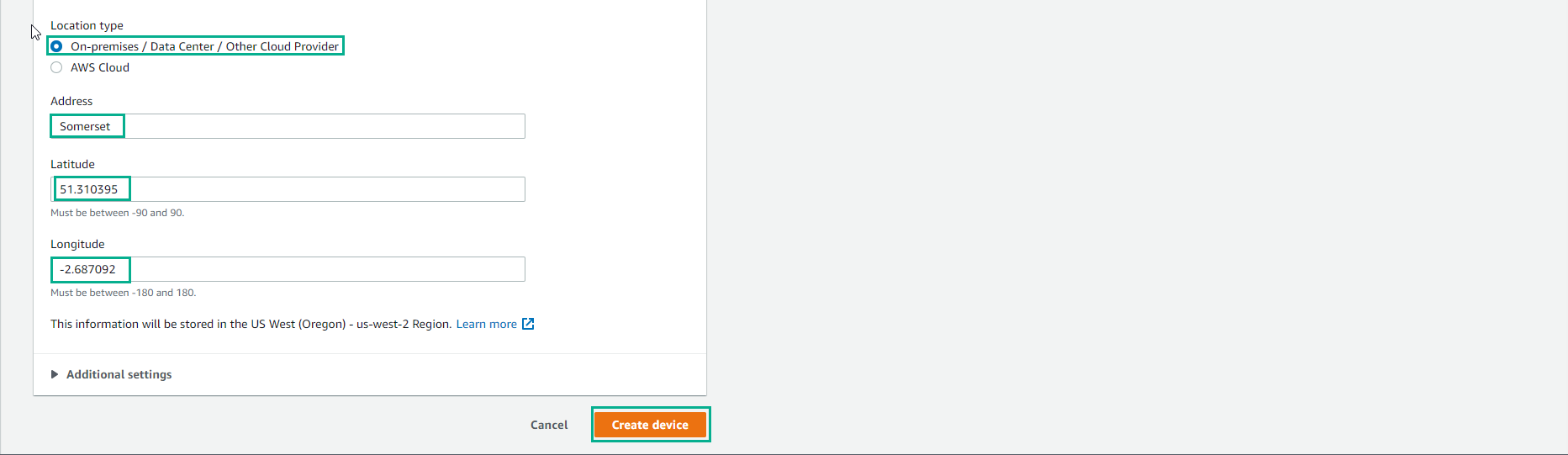
- Đối với Location type
- Chọn On-premise/Data Center/ Other Cloud Provider
- Address, chọn Somerset
- Nhập Latitude và Longitude
- Chọn Create device
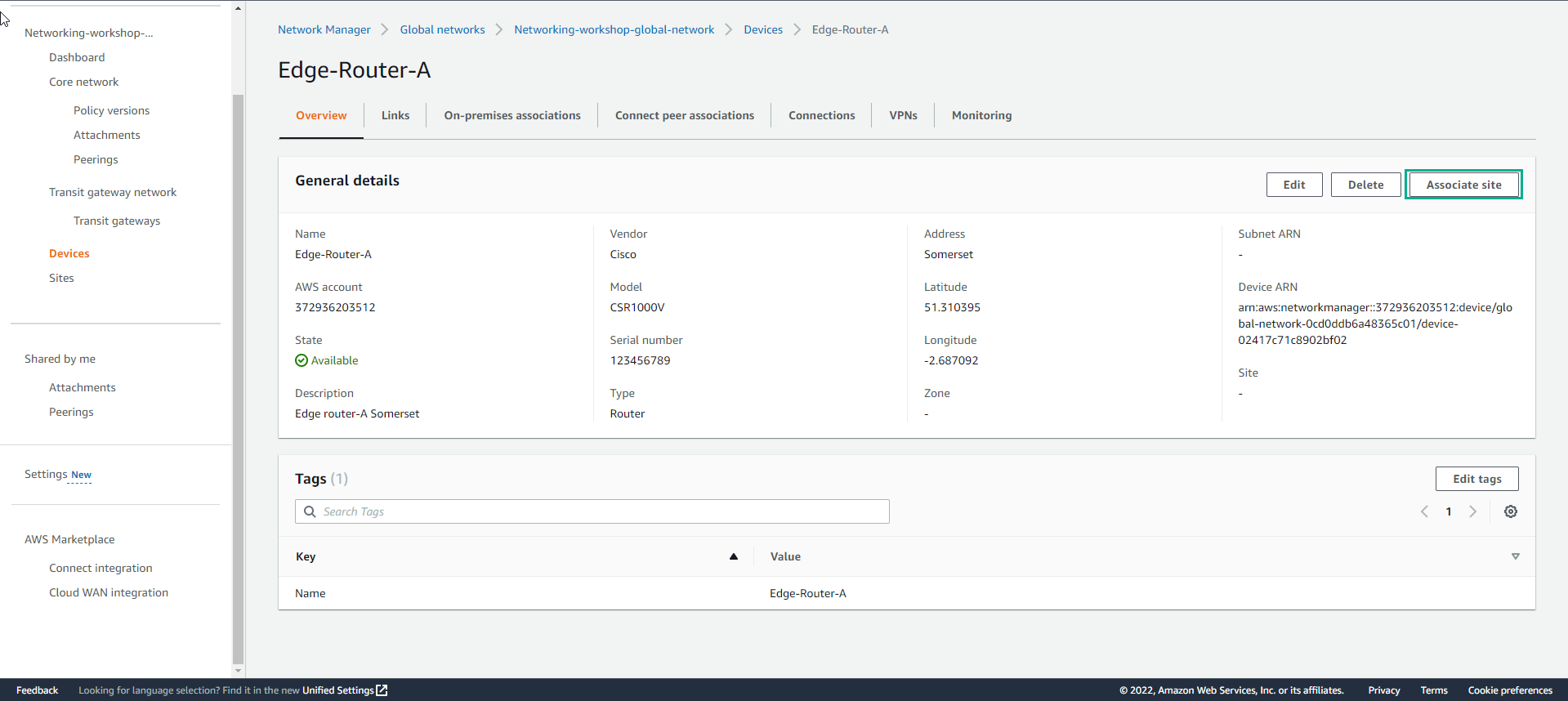
- Cấu hình device thành công. Sau đó chọn Associate site
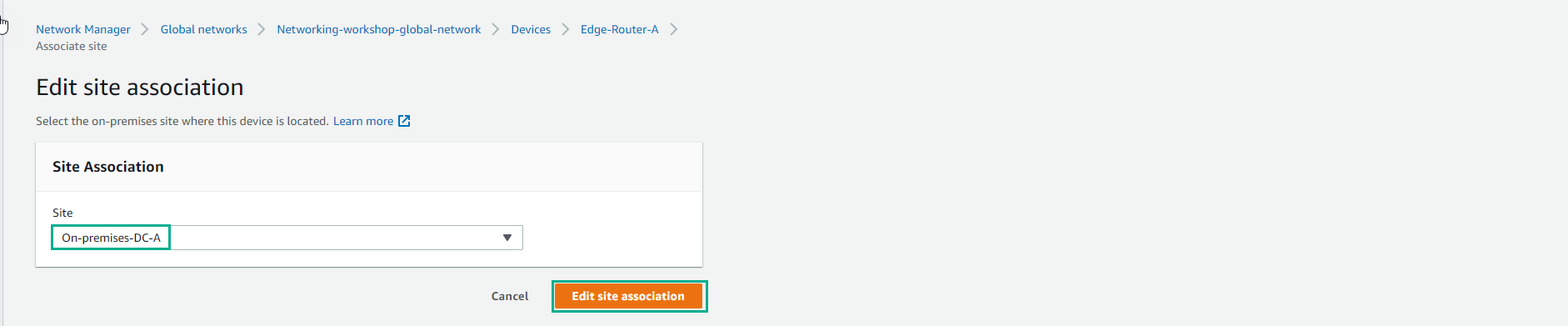
- Trong giao diện Edit site association
- Chọn site đã tạo.
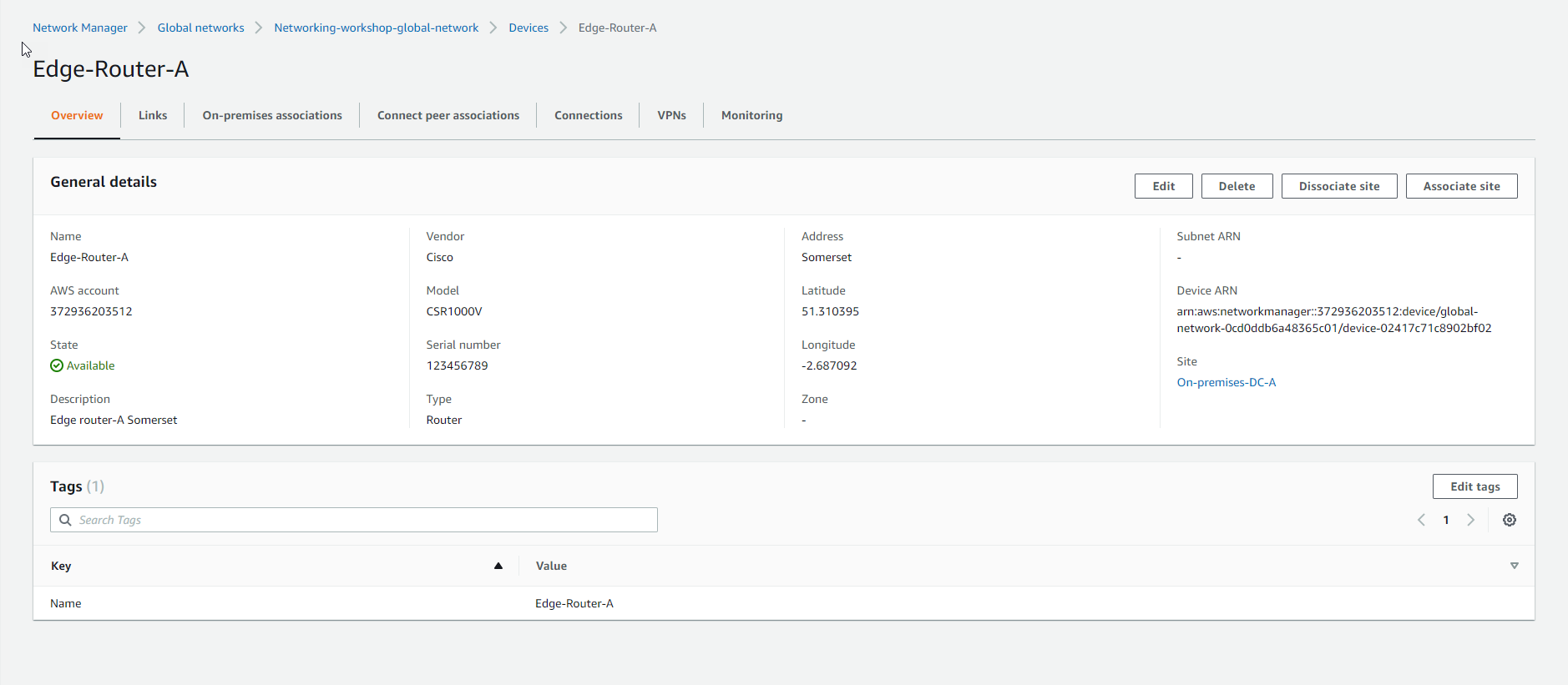
- Chọn Edit site association
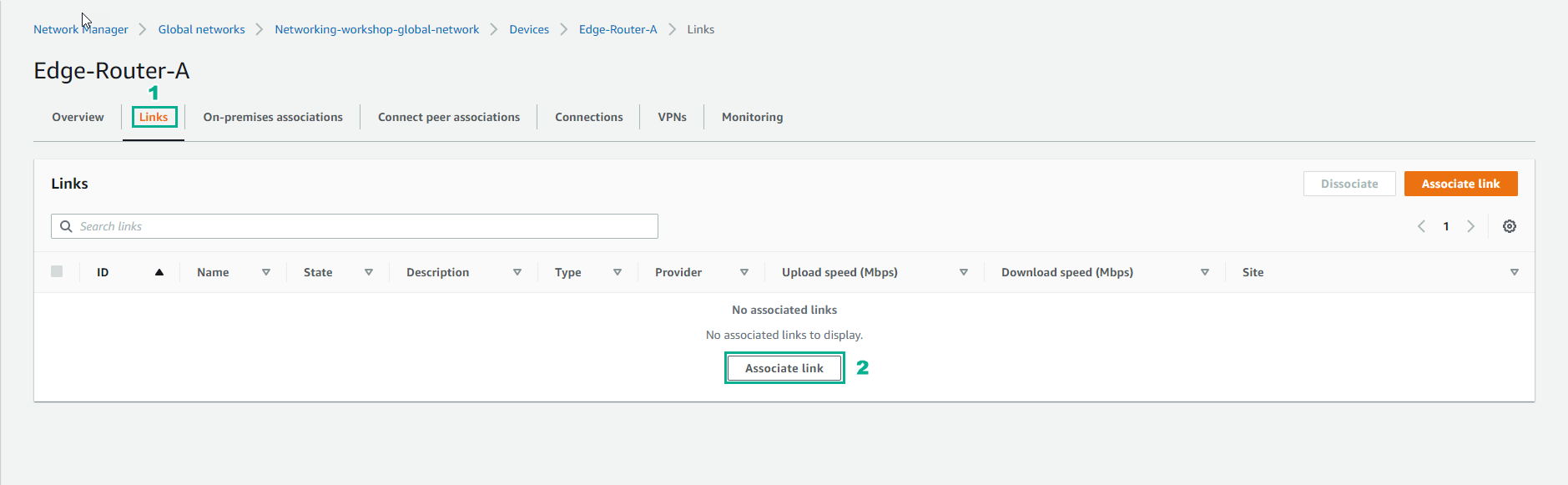
- Chọn Links
- Thực hiện Associate link
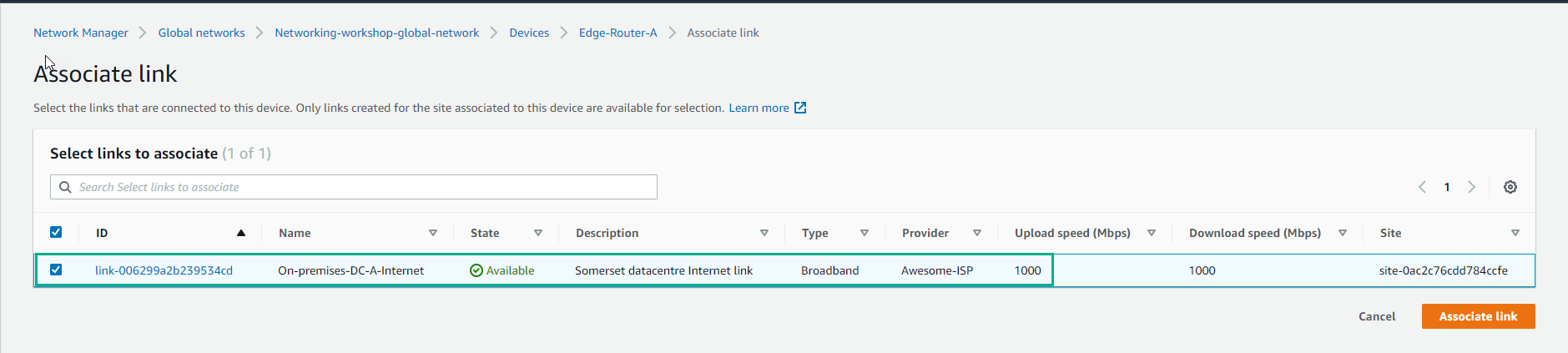
- Chọn link đã tạo và chọn Associate link
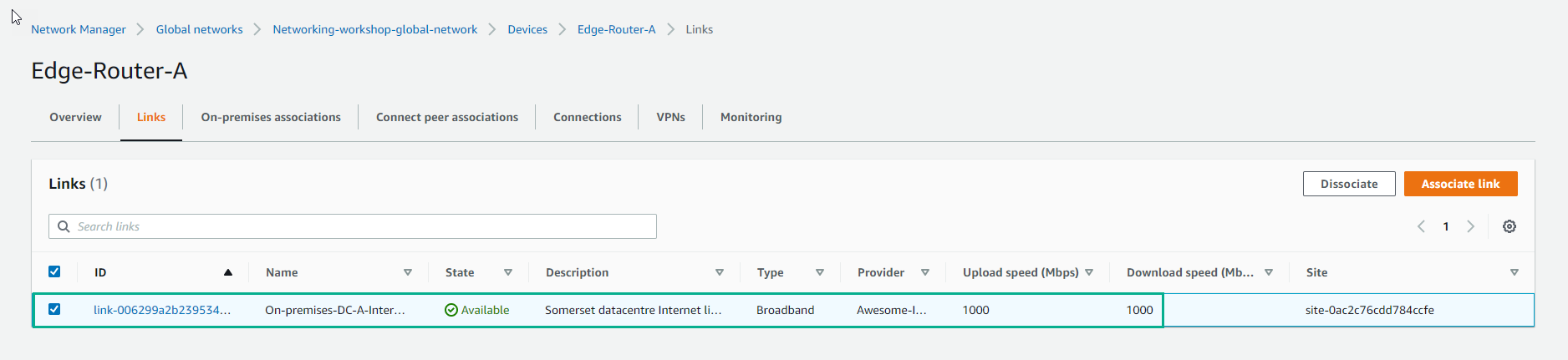
- Associate link thành công.
- Trong giao diện EdgeEdge-Router-A
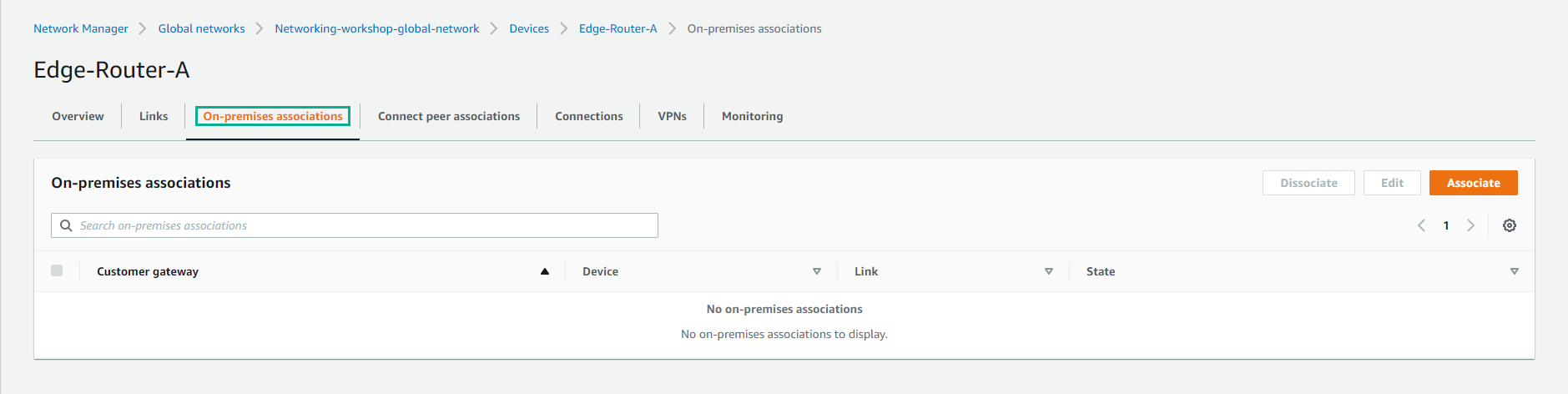
- Chọn On-premise associations
- Chọn Associate
- Trong giao diện Create on-premises association
- Thực hiện chọn Customer gateway
- Chọn link
- Chọn Create on-premises association
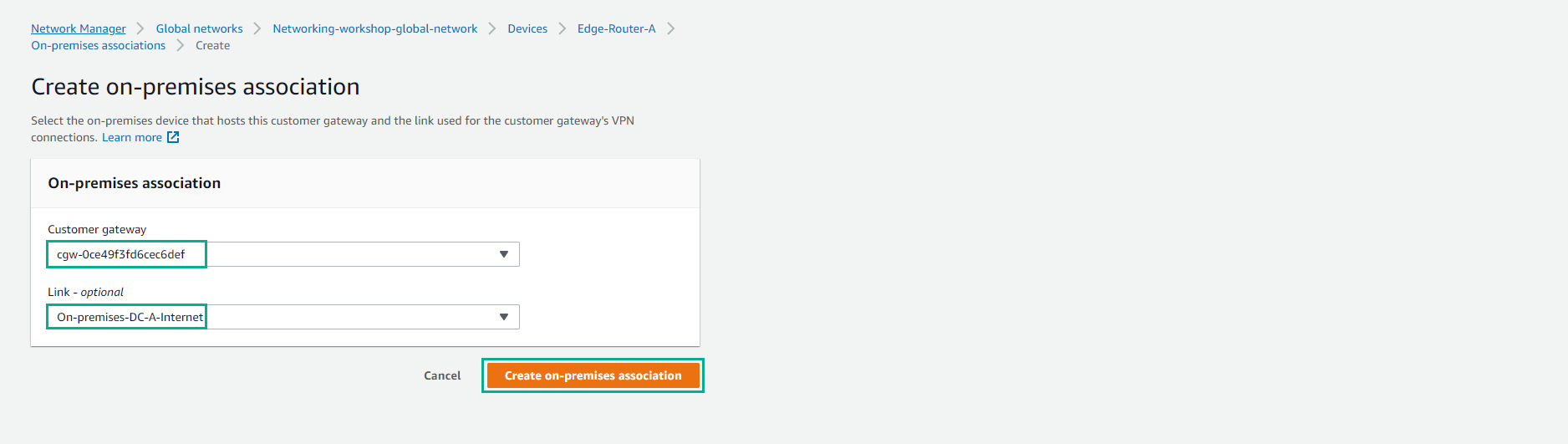
- Hoàn thành tạo on-premises association