VPC Endpoints - Deployment
VPC Endpoints - Deployment
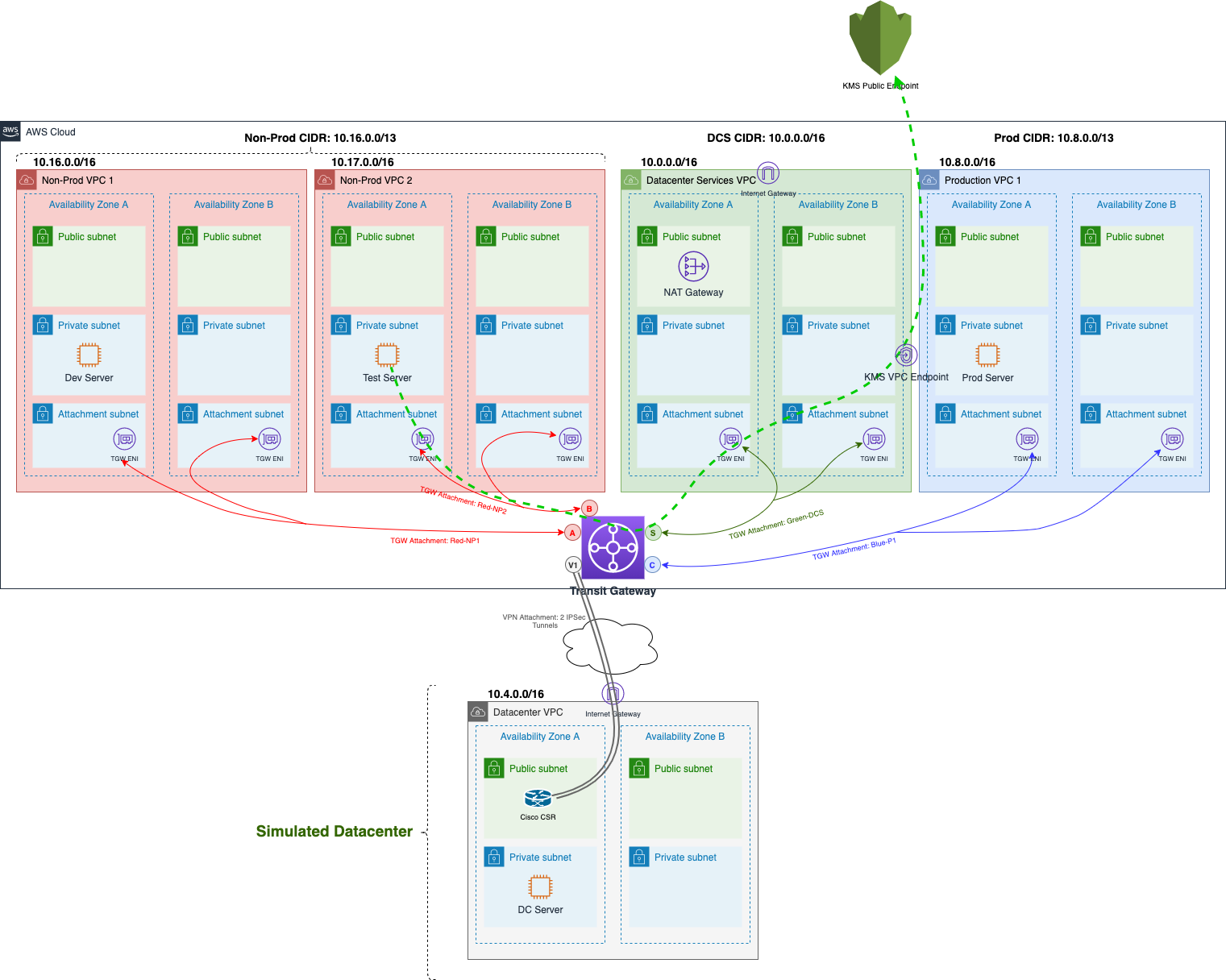
In a multi-VPC environment, we have the choice of when to determine where these VPC Endpoints are: In the local VPC accessing the AWS service, or in a shared, common VPC. In some cases, you can provide several VPC Endpoints in the central VPC and several VPC Endpoints locally. In this lab, we will add KMS VPC Endpoint in DCS1 VPC and other VPCs will be able to use this central Endpoint.
-
Access to AWS System Manager
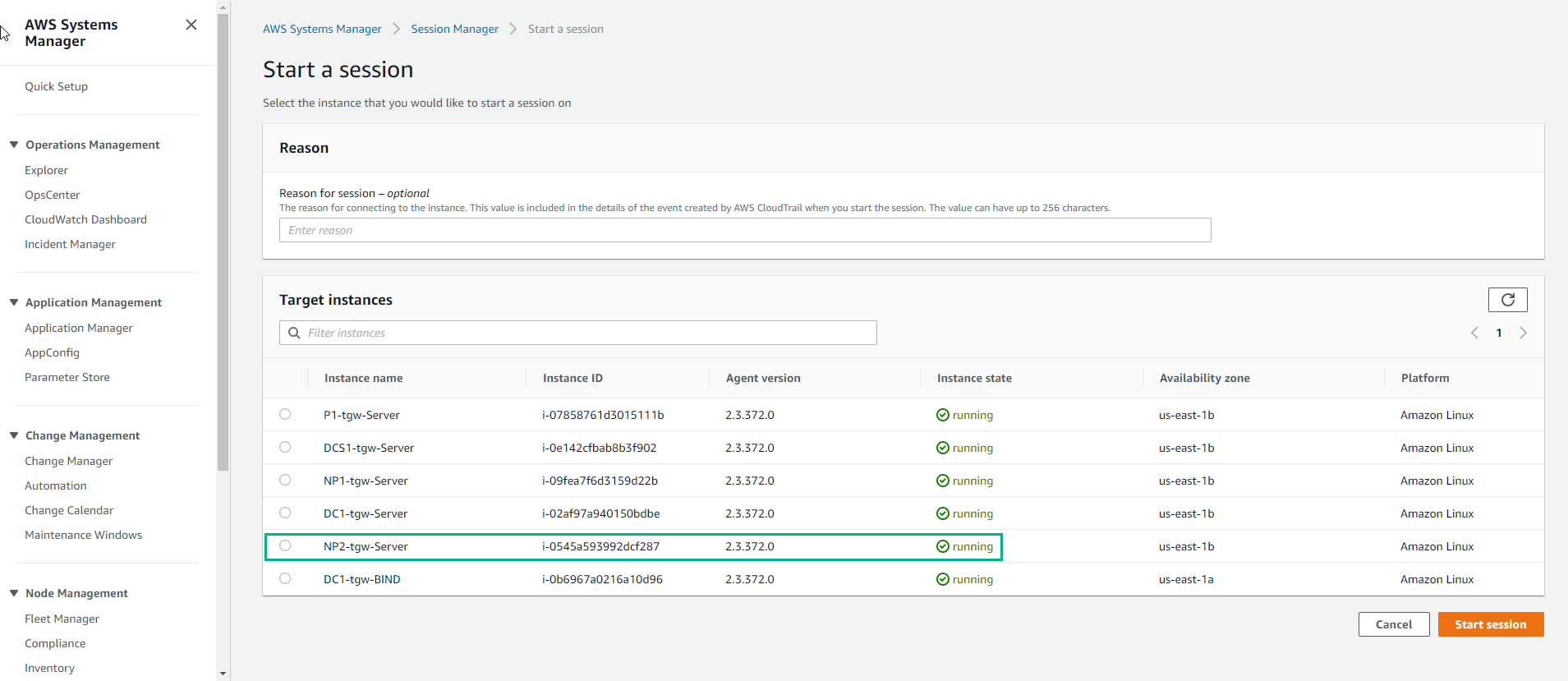
- Select Session Manager
- Select Start Session
- Select NP2 Instance
- Select Start session
- In the Session interface
Use the following command:
dig kms.your_region.amazonaws.com
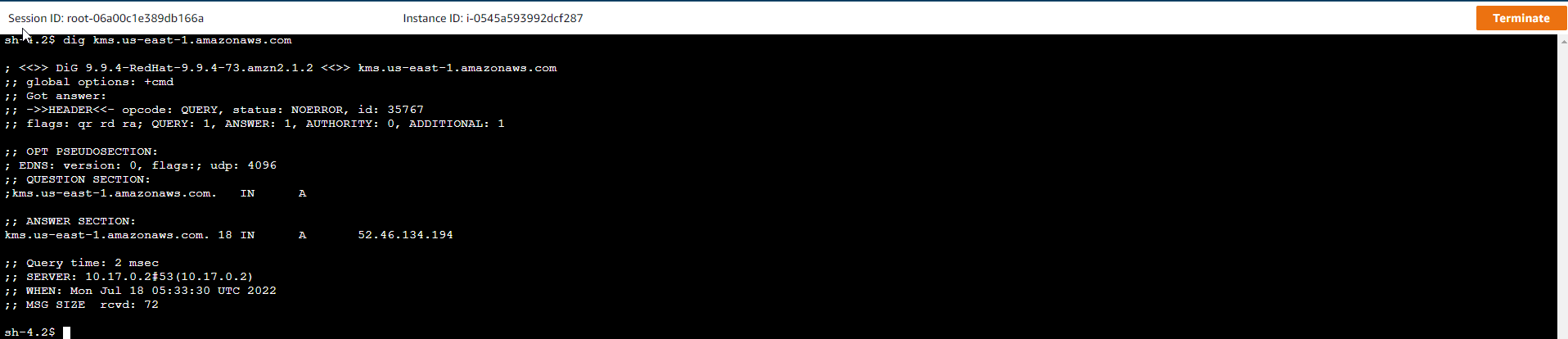
As you might have guessed, before the VPC Endpoint is authorized, communication towards the KMS service from the NP2 instance will travel through the DCS1 NAT Gateway (which will also leverage the nternet Gateway inside the VPC). This is a direct result of KMS resolving public ip addresses. Here’s what the traffic stream looks like:
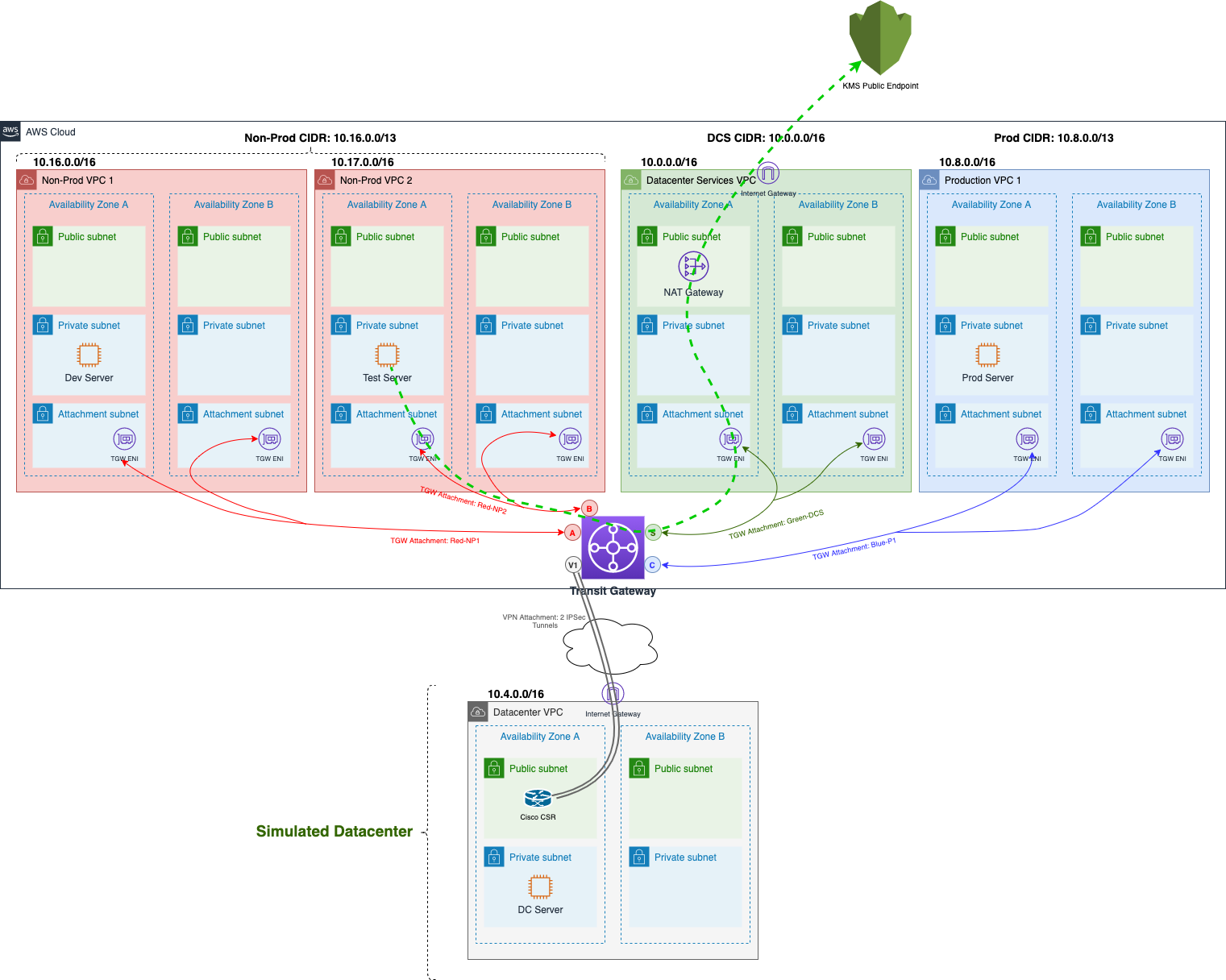
But for now we want to forget about public connection management and use this central KMS VPC Endpoint whenever possible. To do that, we will provide:
- KMS VPC Endpoint in DCS1 VPC
- Route 53 Private Hosted Zone is associated with NP2 VPC so that all DNS queries for KMS service are routed to VPC Endpoint in DCS1 VPC.
VPC Endpoints - Deployment
-
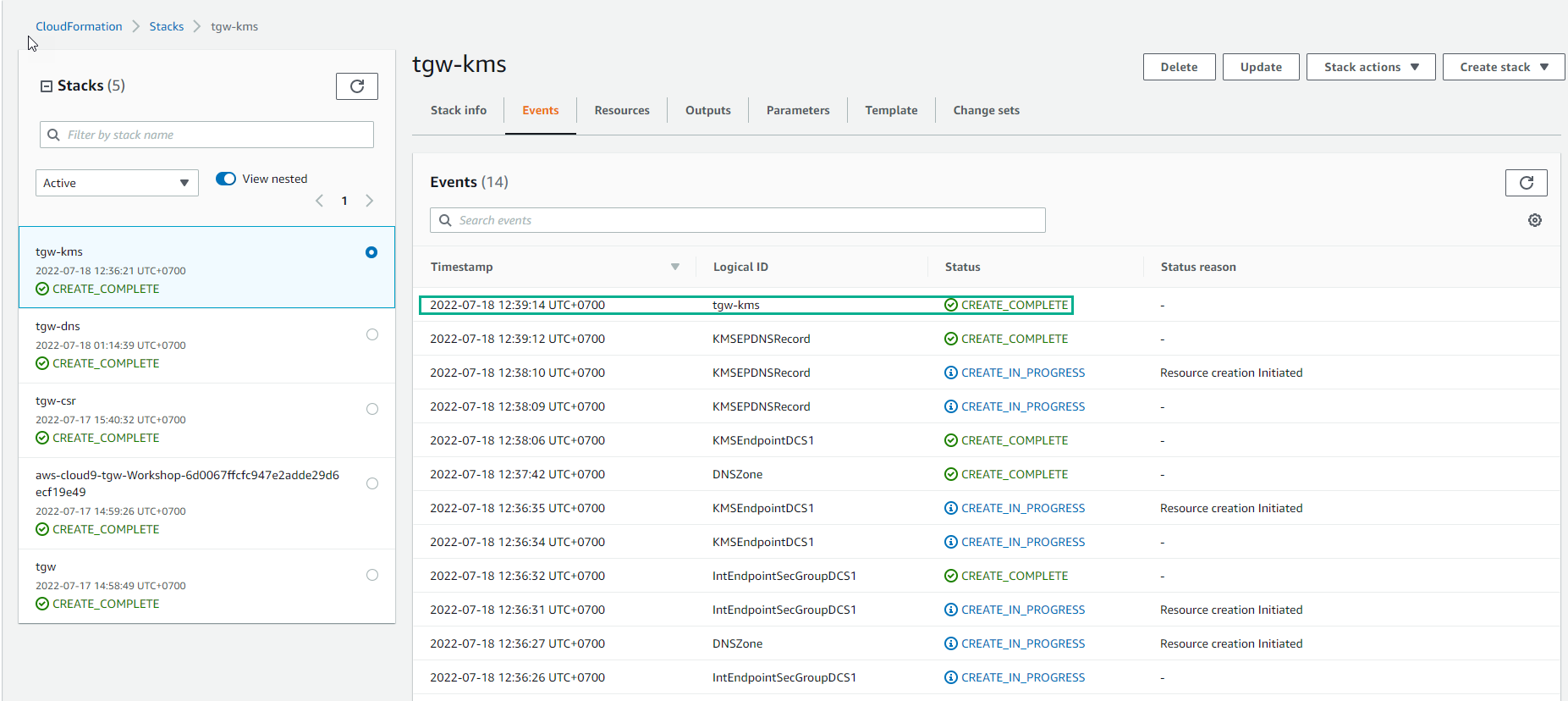
Access the creation interface CloudFormation stack
- Select all defaults
- Select Create stack
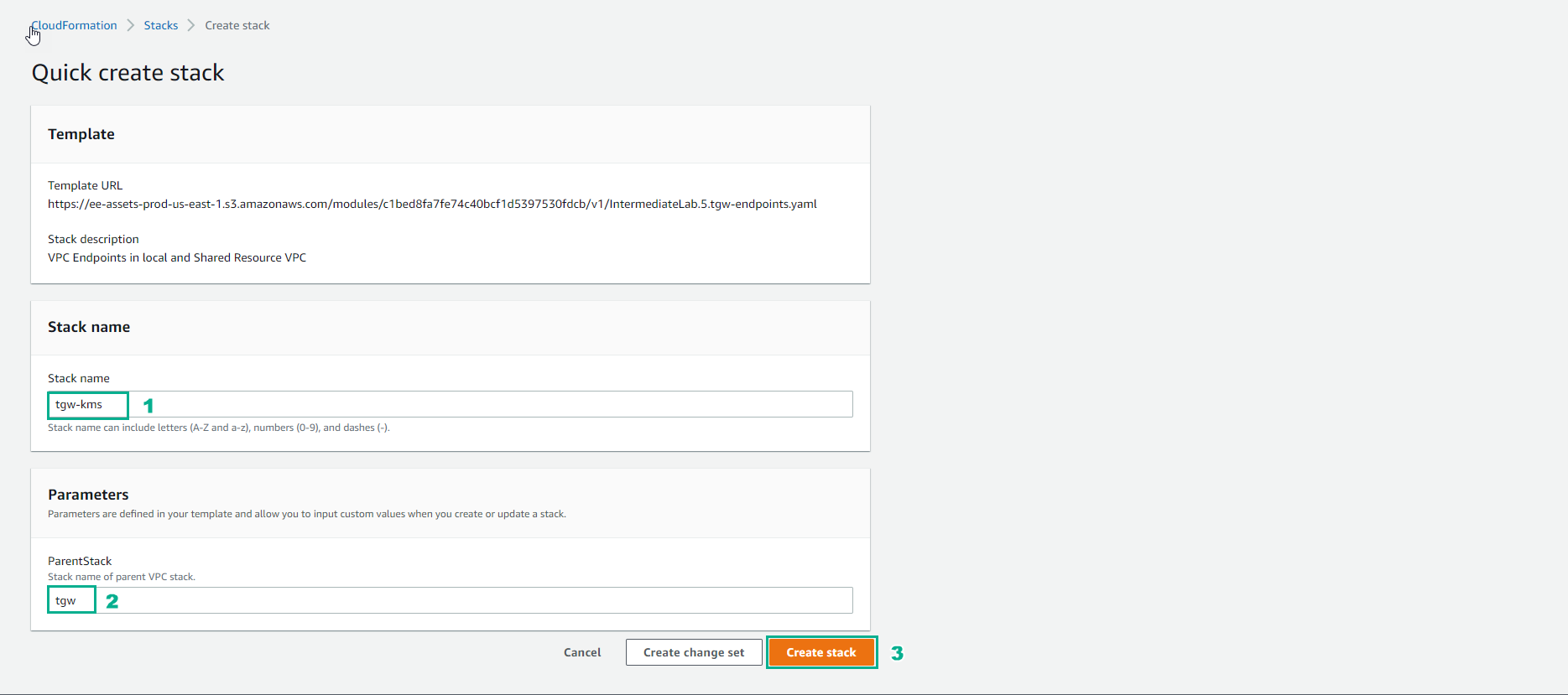
- Wait 20 minutes, and finish creating stack.