Network Insights
Network Insights
Now that we have all our site information created, we can walk through Network Manager to understand what information we can see for our network.
-
We will enter Network Manager
- Select Transit gateway network
- Select Geography
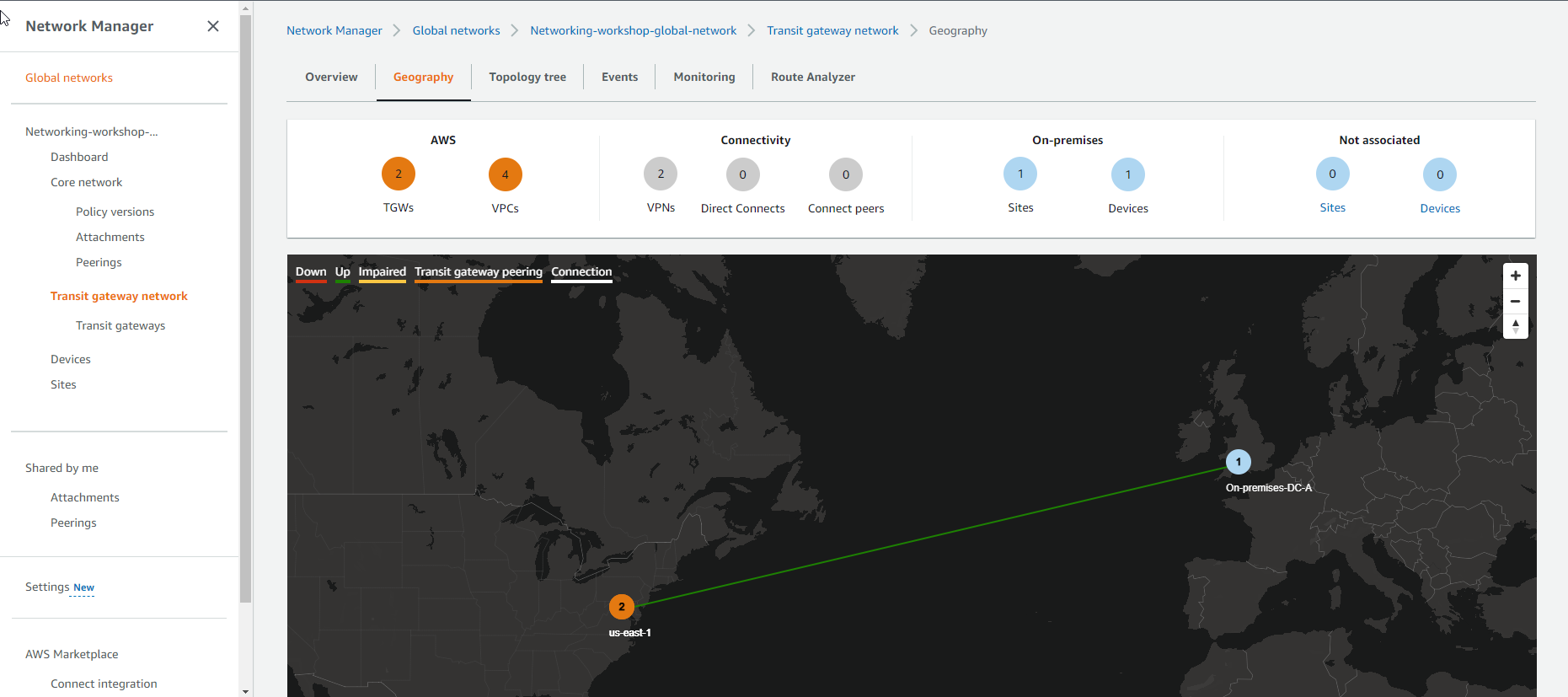
- View a simulation of the location and connectivity between the local data center (On-Premises-DC-A) and the data center on AWS.
- Details have 2 Transit Gateways and 4 VPCs.
- Connectivity includes 2 VPNs.
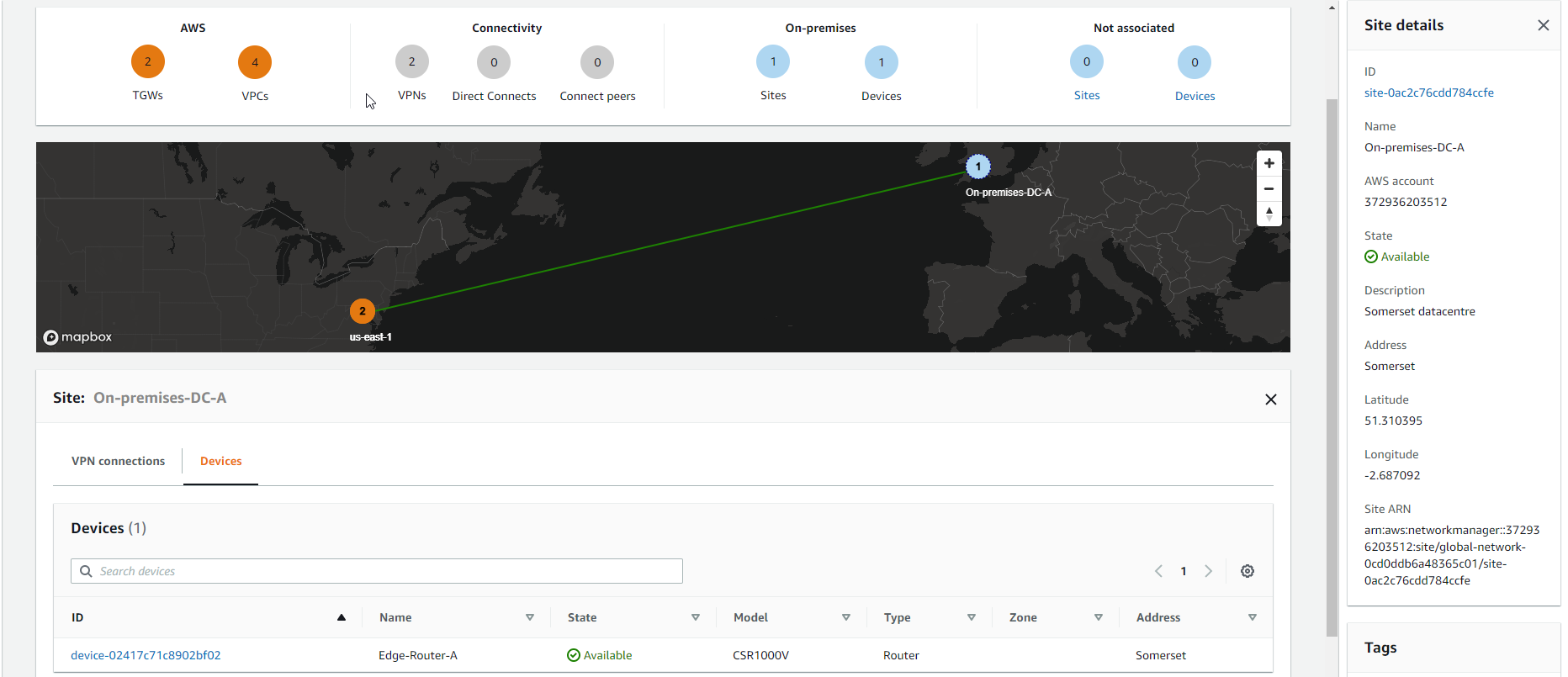
- In On-Premises includes 1 Site and 1 Device
-
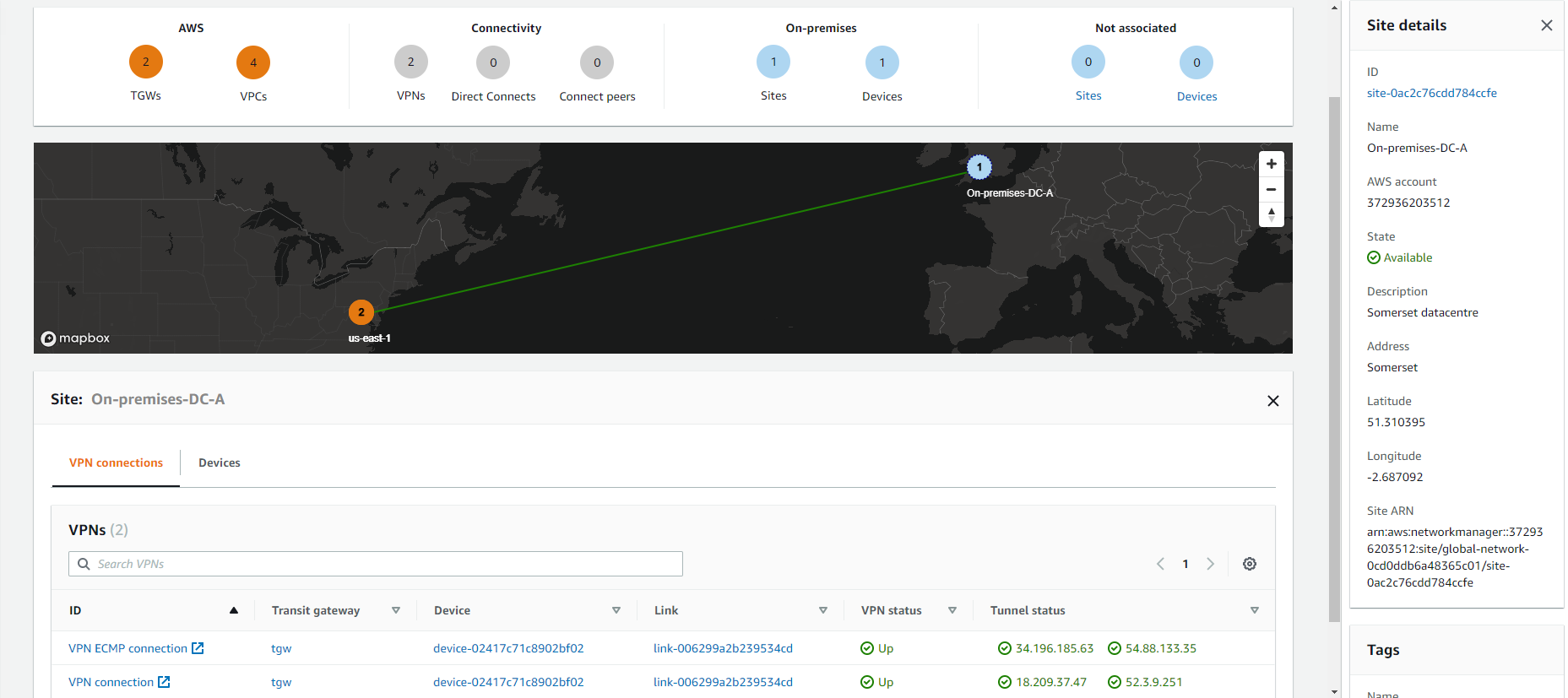
See details about VPN connections including
- VPN connection is currently UP
- VPN ECMP connection is currently UP
- Check status of Route
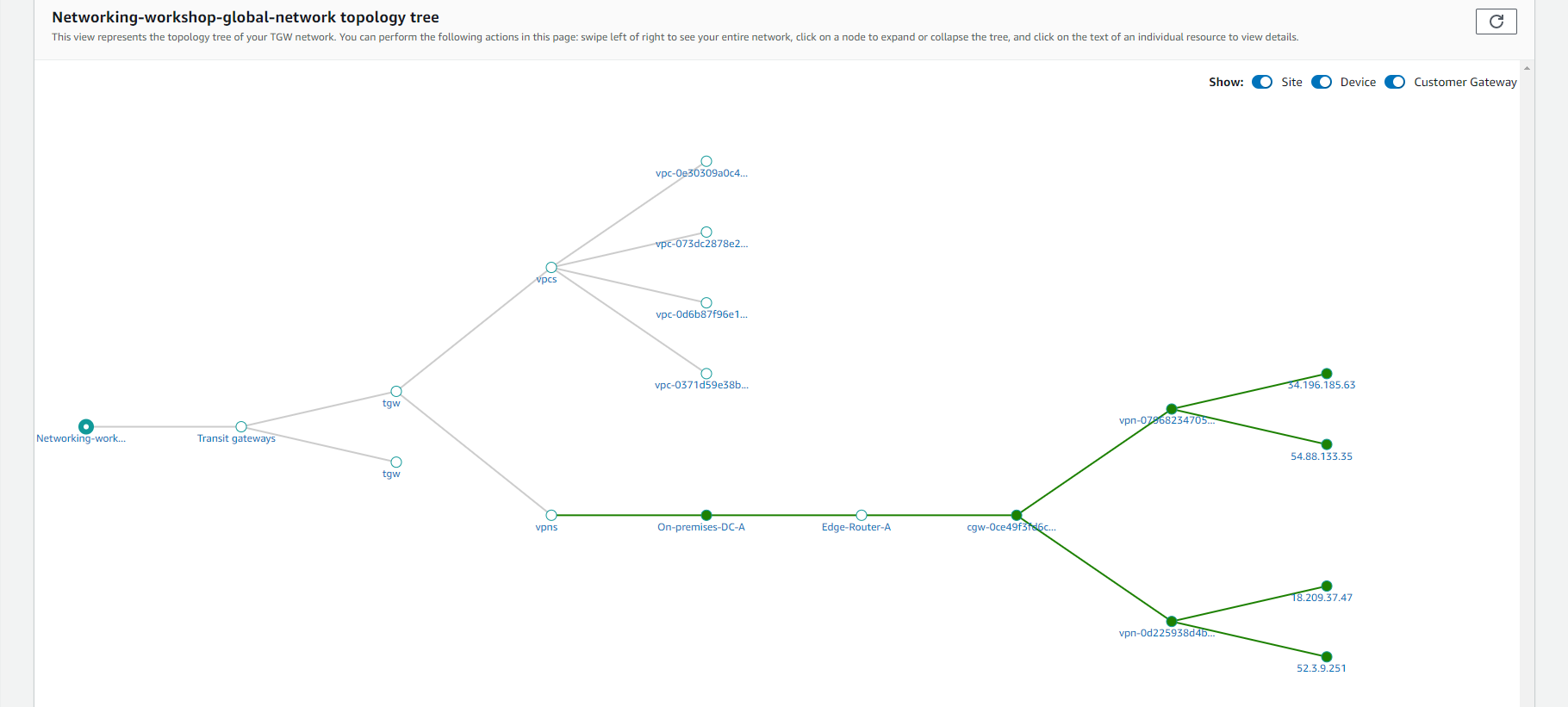
- View Topology tree. Here we can see the overall topology of the network. It details the Transit Gateway, VPCs and VPNs (taken from the Transit Gateway attachments). The links are contextual which enables us to quickly access detailed configuration details.
-
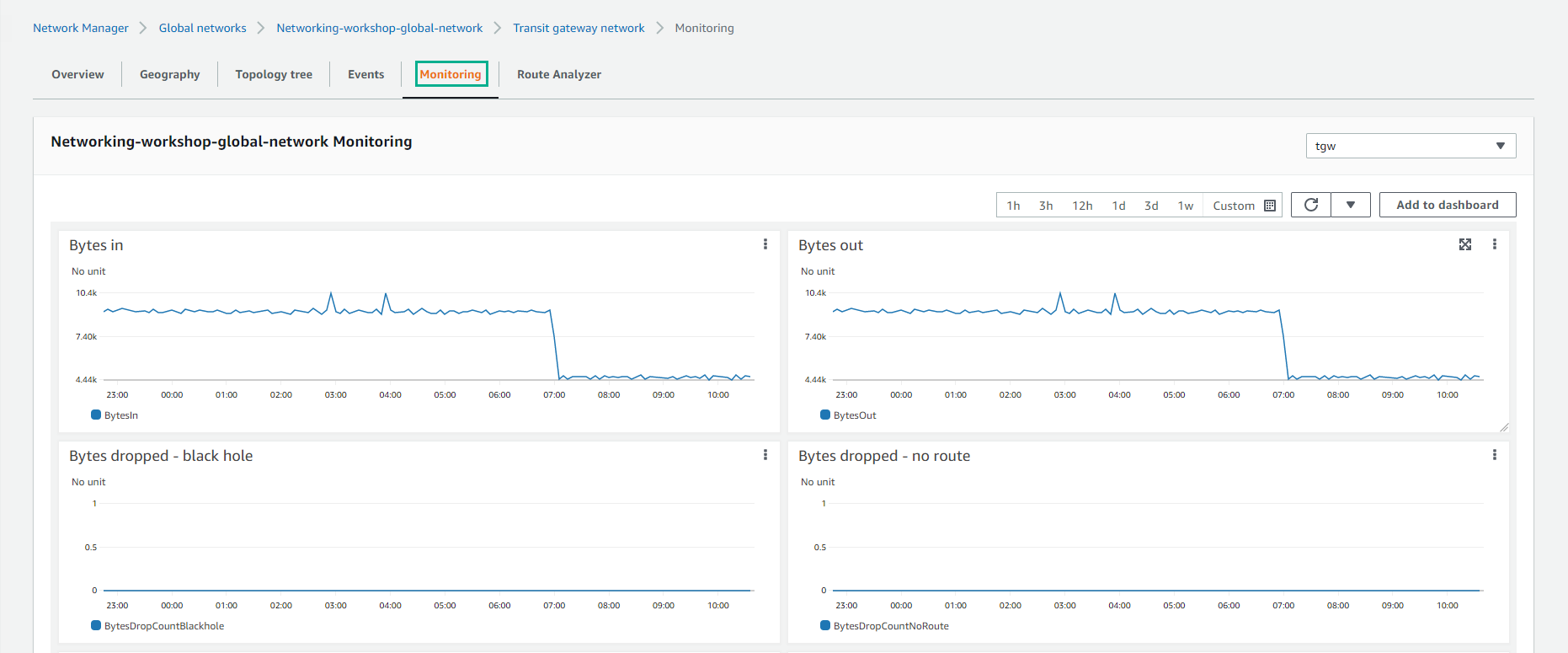
Implement Monitoring. In a single place you can view all sorts of metrics related to your Transit Gateway. You will also be able to switch between different Transit Gateways.
- View Bytes in
- View Byte out