Routing Configuration
Routing Configuration
Configuring VPC Routing - NP1 Private Subnets
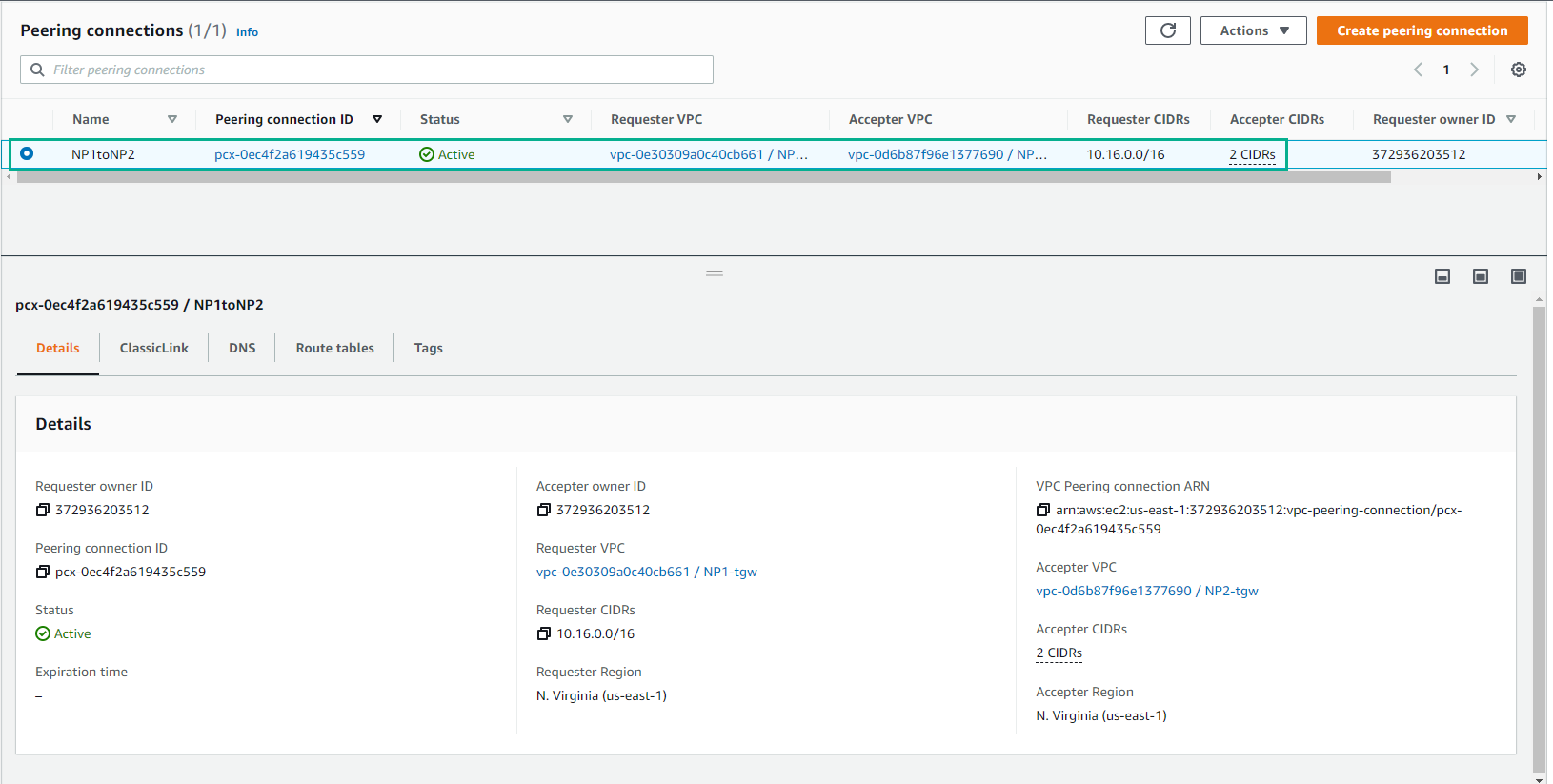
- After successfully creating Peering Connection. Select and view details.
- Return to VPC page, select Route tables
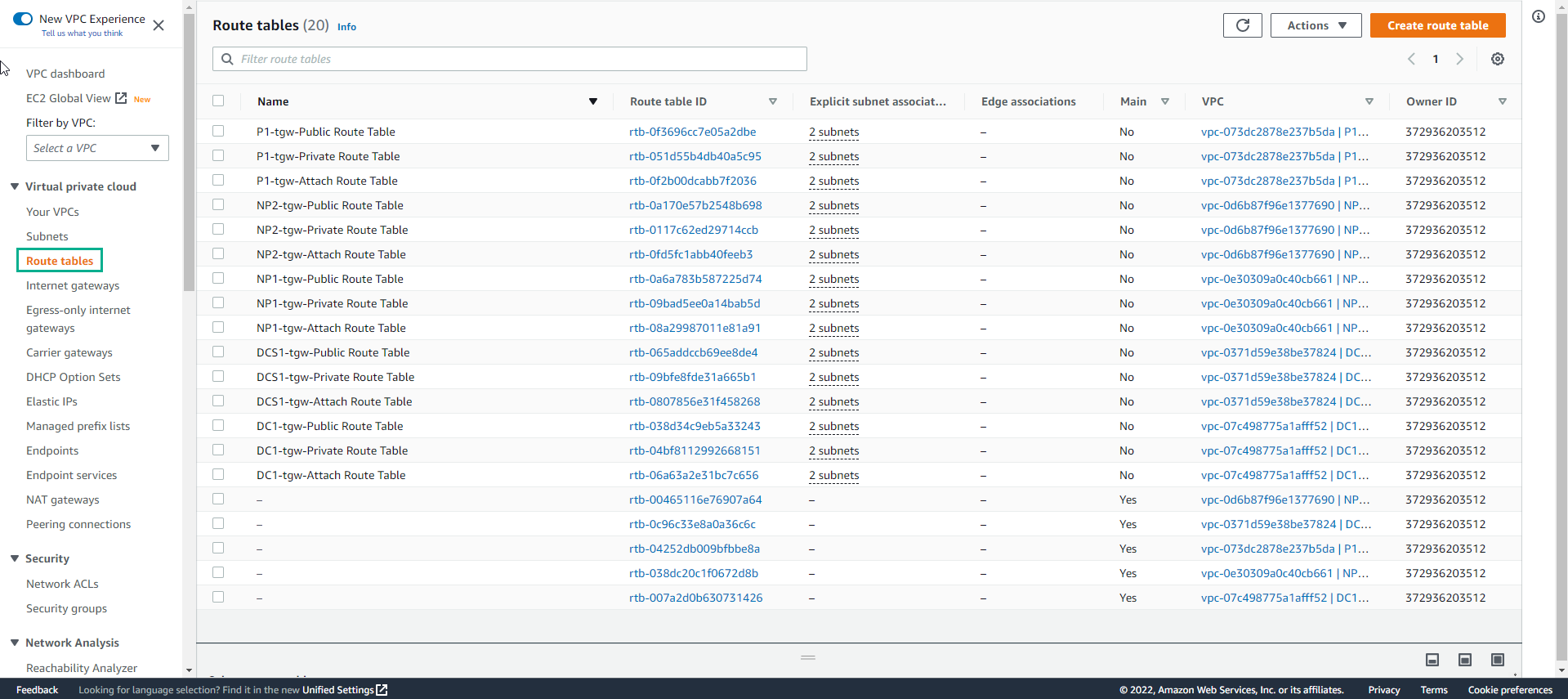
- Find NP1-tgw-Private Route Table

-
In the NP1-tgw-Private Route Table interface
- Select Routes
- Select Edit routes
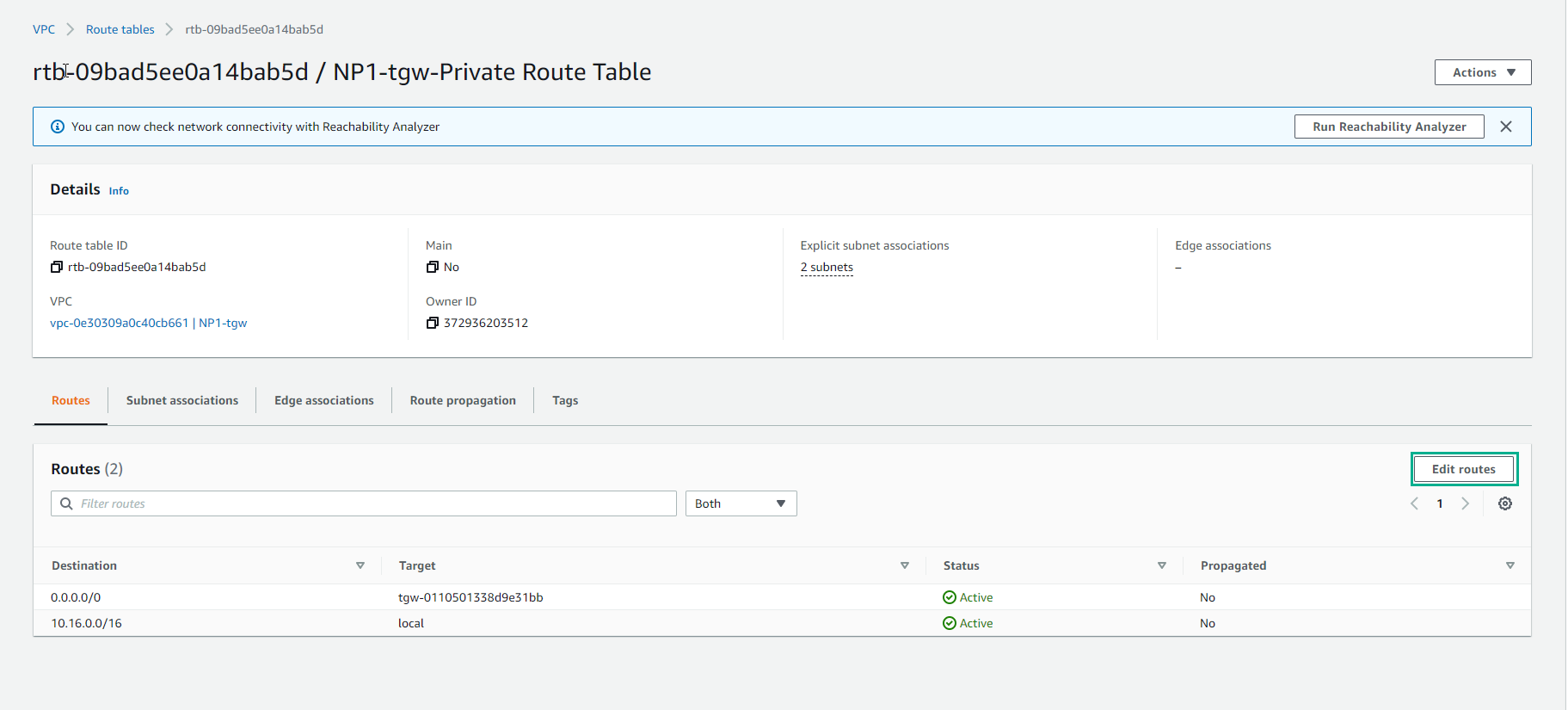
-
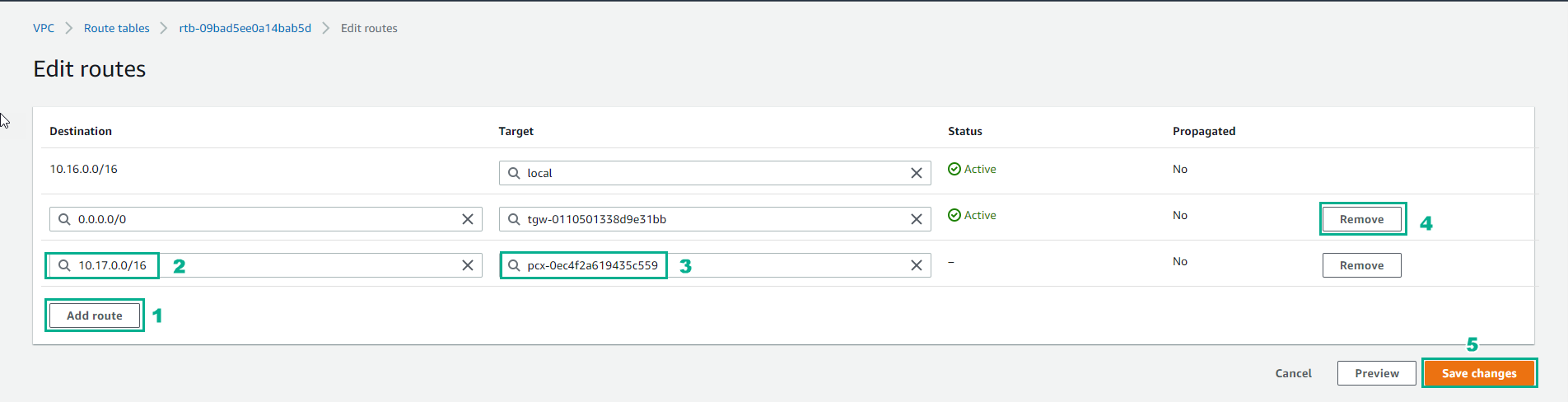
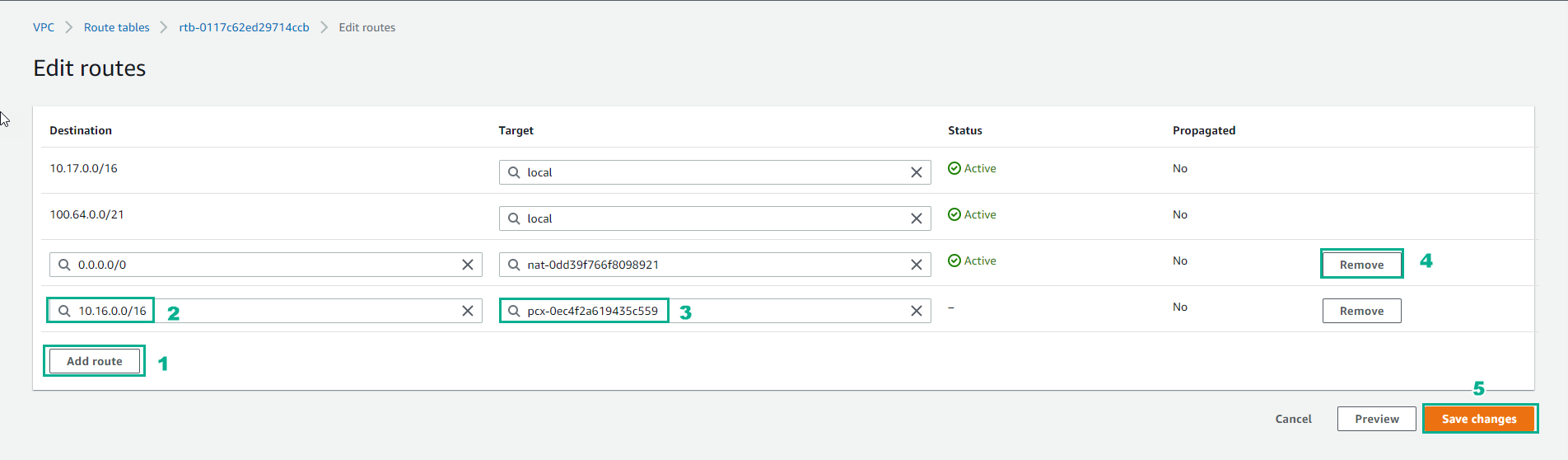
In the Edit routes interface
- Select Add route
- Destination: 10.17.0.0/16
- Target select the Peering Connection created
- Then remove default route 0.0.0.0/0, don’t use Transit gateway
- Select Save routes
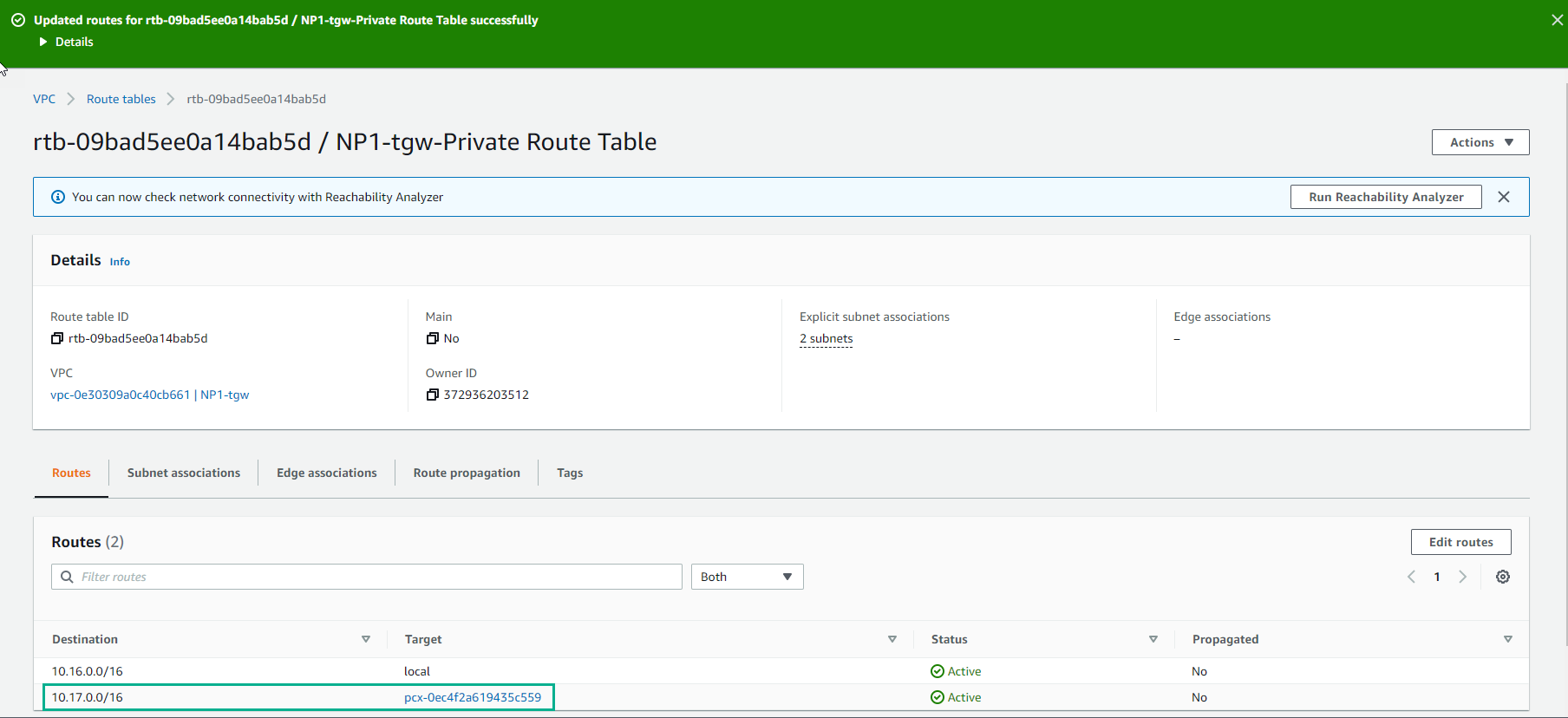
- Complete Route configuration for VPC Peering
Configuring VPC Routing - NP2 Private Subnets
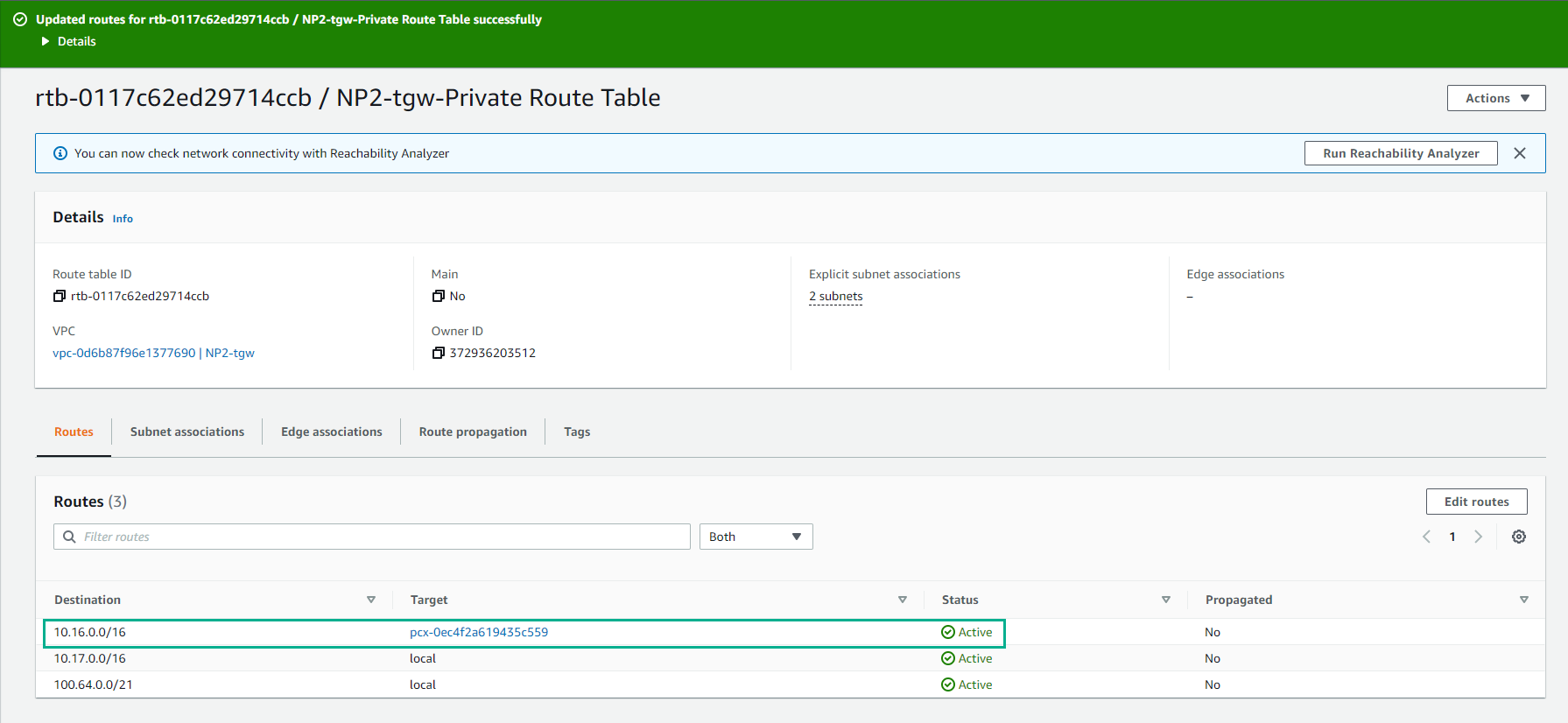
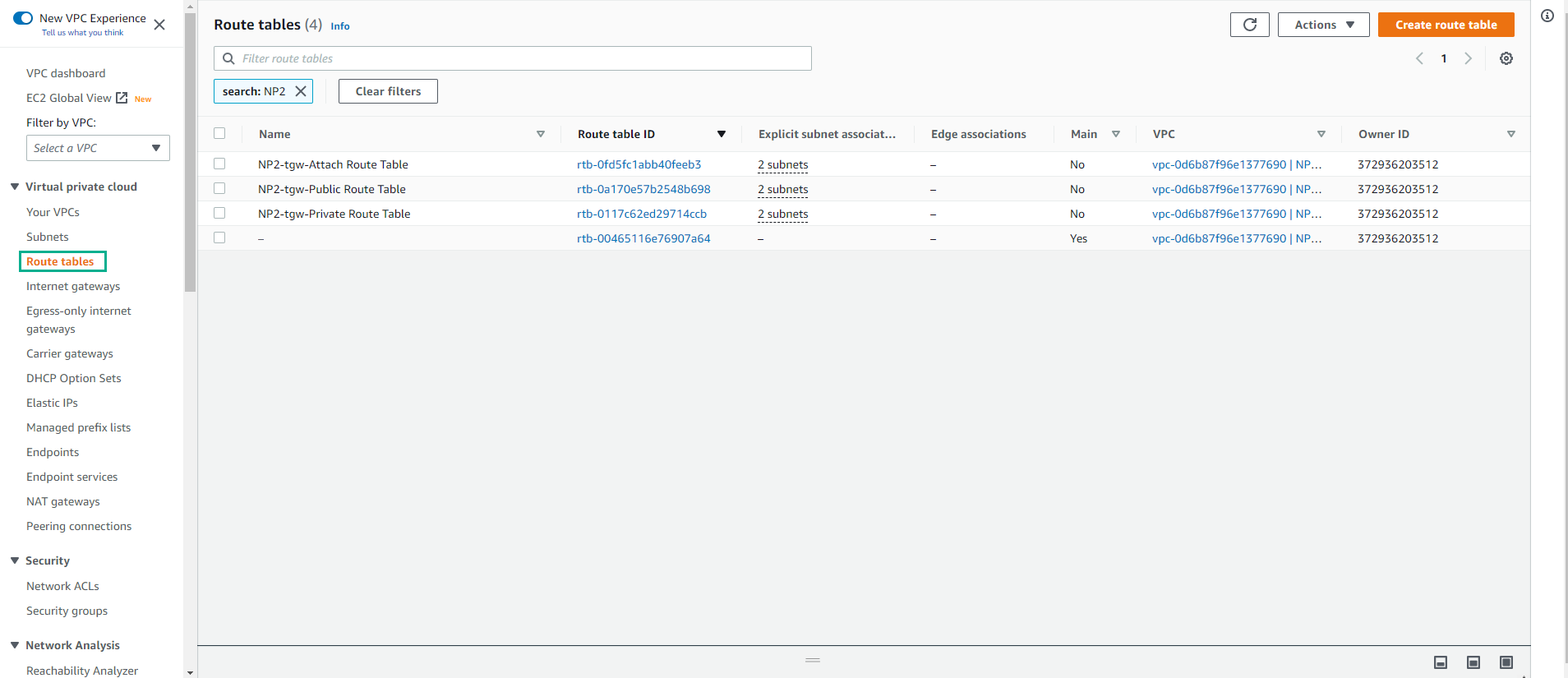
- We return to the VPC interface, select Route tables. Then find NP2 and select NP2-tgw-Private Route Table
-
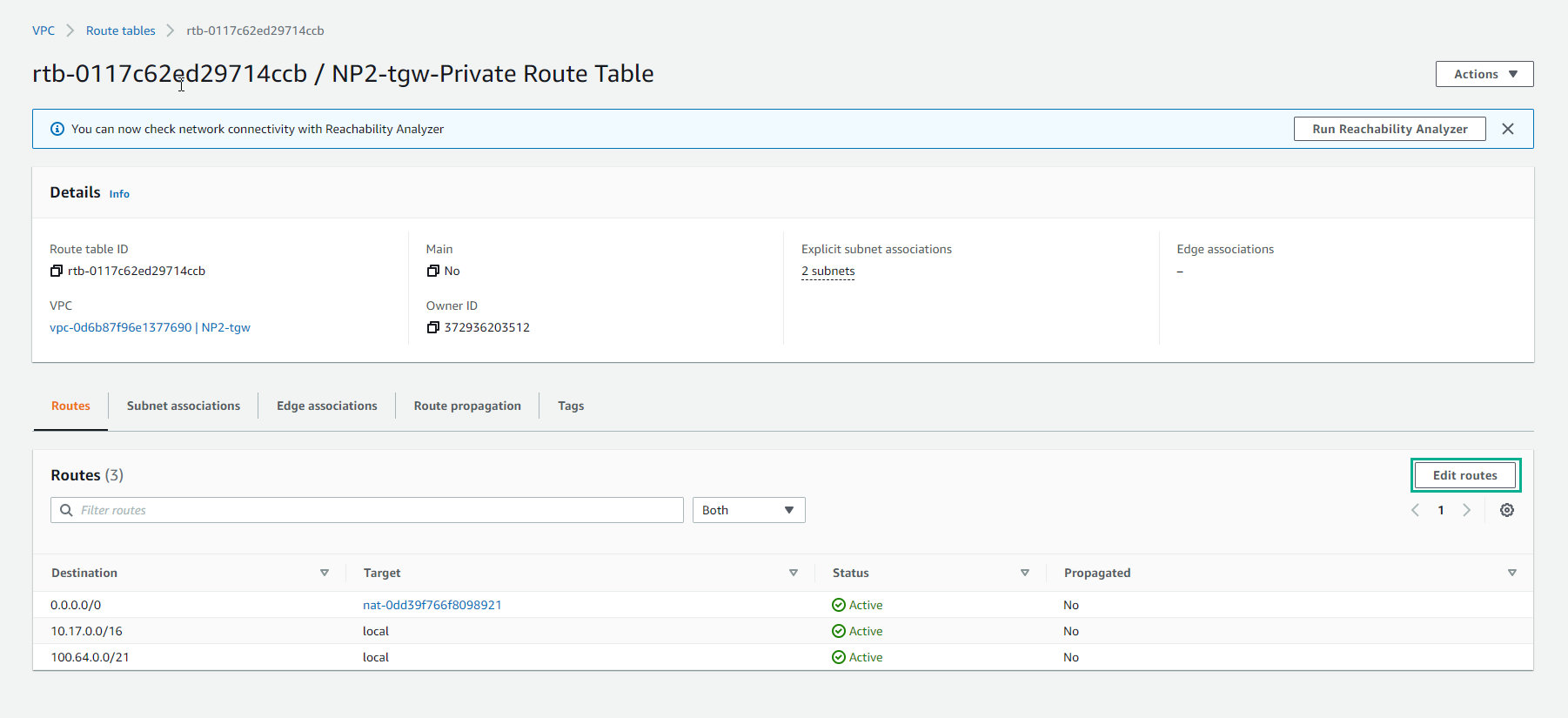
In the NP2-tgw-Private Route Table interface
- Select Routes
- Select Edit routes
-
In the Edit route interface
- Select Add Route
- Destination: 10.16.0.0/16
- Target, select Peering Connection
- Perform remove default route 0.0.0.0/0, do not use Transit Gateway
- Select Save Routes
- Complete Route configuration.